After Effects templates for product launch videos are pre-built motion graphics projects you can open in Adobe After Effects, swap in your product footage, text, colors, and logo, then export a polished launch video-often in hours instead of weeks. They’re essentially “video blueprints”: the animation, timing, transitions, and layout decisions are already engineered, so you can focus on message, brand, and momentum. The best part is that templates don’t have to make your launch look generic; with smart customization, they can look like a bespoke studio production-without the bespoke studio timeline.
In 2026, product launches live everywhere at once: landing pages, app stores, YouTube, TikTok, investor decks, retail screens, email campaigns, and even in-product onboarding. After Effects (AE) templates thrive in that environment because they’re modular and scalable. You can create a full “launch kit” from a single template family: a hero trailer, a 15-second teaser, a set of vertical cutdowns, a logo sting, and a feature highlight carousel-all with consistent motion language.
Browse After Effects video templates
📋 Table of Contents
What are after effects templates for product launch videos?
An After Effects template is a packaged AE project file (usually .aep, sometimes delivered as a Motion Graphics Template .mogrt for Premiere Pro) that contains ready-made animations, compositions, placeholders, and controls. For product launches, templates typically include scenes designed around the rhythms of marketing: quick hooks, feature reveals, benefit statements, social proof, pricing or availability beats, and a final call-to-action.
Think of a template like a stage set. The lighting cues, the moving panels, the dramatic curtain reveal-those are built. Your job is to put your product on the stage, write the lines, and choose the soundtrack. When done well, the audience doesn’t see “template.” They see a product that looks confident, modern, and worth their attention.
Purpose of using After Effects templates
The main purpose is speed with standards. Product launches are deadline-driven, and motion design is famously elastic: it expands to fill the time available. Templates compress that elasticity. They give you a professional starting point-timing, easing, typography, transitions-so you can iterate quickly and still hit a high bar.
Templates also reduce decision fatigue. Launch videos involve hundreds of micro-choices: how text enters, how long a feature stays on screen, whether the camera push feels energetic or aggressive, how to transition between UI screens, and so on. A good template bakes in a coherent set of choices, so your creative energy can go into clarity (what you say) and credibility (how you show it).
Finally, templates are a consistency engine. If you’re launching a product with multiple assets-trailers, ads, social cutdowns, event openers-templates help you keep motion language consistent across a team. One person can handle the hero video while another produces vertical versions, and the brand still feels like one voice.
Key features of product launch video templates
Product launch templates tend to share a set of practical features because they’re built for marketing realities, not just pretty motion. You’ll often see:
- Editable placeholders for footage, product renders, UI recordings, and lifestyle shots.
- Text controllers (sometimes via Essential Graphics) for headlines, subheads, feature bullets, and disclaimers.
- Color controls to match brand palettes quickly-often with global color pickers.
- Modular scenes you can reorder, remove, or duplicate without breaking the project.
- Built-in transitions designed to hide cuts and keep energy high.
- Resolution variants like 16:9, 1:1, and 9:16 comps-or at least safe-area guides.
- Sound design slots for whooshes, hits, risers, and UI clicks that make motion feel “expensive.”
Many modern templates also include helpful quality-of-life features: precomps labeled clearly, organized folders, notes for beginners, and expressions that allow you to change timing without re-keyframing everything. When a template is built by someone who has shipped real client work, you can feel it in the structure.
What types of After Effects templates are available for product launches?
Not all launch videos have the same job. Some are meant to spark curiosity, others to explain, others to convert. The template ecosystem reflects that. Choosing the right type is less about what looks cool and more about what your audience needs at that moment in the funnel.
Below are common template categories you’ll see across marketplaces, each with distinct strengths-and a few hidden traps to watch for.
Promo and teaser video templates
Promo and teaser templates are built for momentum. They’re short, punchy, and structured around reveals: a silhouette, a close-up texture, a bold claim, a countdown, a quick montage. They work well when your product is visually striking (hardware, fashion, automotive, packaging) or when you want to lead with emotion rather than explanation.
Great teaser templates use pacing like a drummer: quick hits early, a breath, then a final crescendo. They often include energetic typography, fast transitions, and space for one-liners like “Introducing,” “Now Available,” or “Built for creators.” If your product is complex, you can still use teasers-just treat them as the first chapter, not the whole book.
One practical note: teaser templates tend to be unforgiving about footage quality. If your shots are noisy, poorly lit, or mismatched, the template’s speed will amplify the flaws. In that case, choose a teaser with slightly longer shot durations and softer transitions, or lean into stylized overlays that unify your visuals.
Explainer and demo video templates
Explainer and demo templates are designed for clarity. They usually have longer scene durations, cleaner layouts, and more “room” for diagrams, UI screens, and step-by-step narratives. If you’re launching software, a mobile app, a SaaS platform, or anything where the value is in the workflow, this category is your best friend.
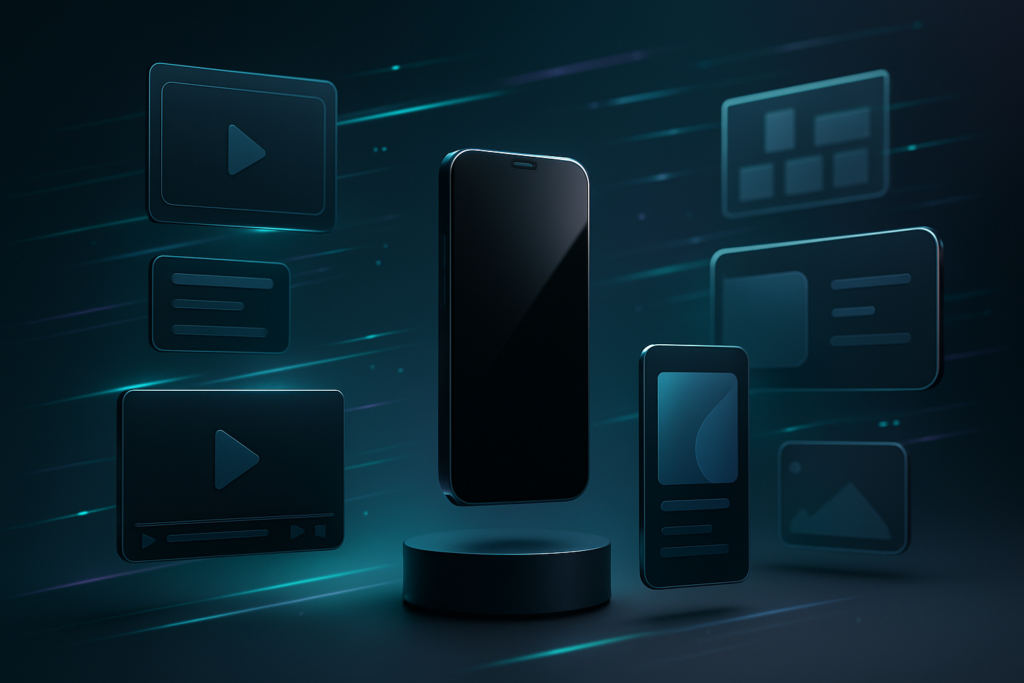
Many demo templates include device mockups (phones, tablets, laptops) and screen placeholders. The stronger ones also include callouts-animated arrows, highlights, zoom-ins-so you can guide the viewer’s eye without overwhelming them. The goal is to reduce cognitive load: the viewer should never wonder what they’re supposed to be looking at.
Explainer templates also pair nicely with voiceover. If your launch plan includes narration, look for templates with clear “beats” (moments where the screen holds steady) so your voiceover can land key points. If a template is constantly moving, your narration will feel like it’s chasing the visuals.
Animated logo and title templates
Logo stings and title sequences are the punctuation marks of a launch campaign. They’re often short-2 to 6 seconds-but they do heavy lifting: establishing brand credibility, creating a recognizable “start” and “end,” and making your content feel like it belongs to a cohesive product universe.
For product launches, logo and title templates shine in three places:
- Openers for keynote-style reveal videos or webinars.
- End cards with a CTA, URL, and release date.
- Ad bumpers that brand short social clips consistently.
When choosing these templates, prioritize legibility and restraint. A logo animation that looks impressive in isolation can become exhausting when repeated across a campaign. The best stings are memorable, not noisy.
Social media optimized templates
Social-first templates are built around platform realities: vertical framing, fast hooks, captions, and safe areas that avoid UI overlays. They often include kinetic typography, sticker-like elements, and quick scene changes to match short attention windows-without sacrificing clarity.
Look for templates that support multiple aspect ratios or provide separate comps for 9:16, 1:1, and 16:9. A “universal” template that simply crops a 16:9 comp into vertical can ruin composition: heads get chopped, UI becomes unreadable, and your CTA lands under the platform buttons.
Also, social templates frequently assume text-on-screen will carry the message (because many viewers watch muted). That’s an advantage if you’re running paid ads or organic reels-but it means you need to write tight copy. If your on-screen text reads like a paragraph, the template can’t save you.
How do after effects templates improve product launch videos?
Templates improve launch videos in three big ways: they raise the visual baseline, reduce production friction, and enforce brand consistency. But the deeper benefit is psychological: templates help teams ship. They turn “we should make a launch video” into “we can make a launch video,” which is often the difference between a campaign that looks alive and one that looks half-finished.
To get the full benefit, treat templates as a framework, not a crutch. The improvement comes from pairing a solid template with strong launch fundamentals: a clear promise, a believable proof point, and a CTA that feels like the next natural step.
Enhancing visual appeal and engagement
After Effects templates bring motion design techniques that are hard to replicate quickly from scratch: smooth easing, parallax depth, lighting effects, particle systems, 3D camera moves, and well-timed typography. These elements create “perceived production value”-the sense that your product is serious because your presentation is serious.
Engagement isn’t just about flashy effects, though. Good templates use motion to guide attention: text enters when the viewer needs context, highlights appear when a feature is shown, and transitions happen when the brain is ready to move on. This choreography keeps viewers oriented, which is the quiet secret behind high-performing product videos.
Templates can also help you create rhythm. Launch videos often fail because they’re a list of features with no pacing. A well-structured template forces you into a narrative cadence: hook, reveal, proof, benefit, social proof, CTA. Even if you change the content, the rhythm remains.
Saving time and production costs
Time savings come from reusing solved problems: animation curves, scene layouts, transitions, and pre-built comps. Instead of building a device mockup rig or a lower-third system, you drop in your assets and adjust controls. That can cut days off a schedule, especially for small teams.
Cost savings follow naturally. If you’re hiring freelancers, templates reduce billable hours spent on foundational motion design. If you’re doing it in-house, templates reduce the need for specialized motion designers for every single asset-your team can focus on the hero pieces and use templates for the supporting content.
Templates also make iteration cheaper. Launches change: dates shift, pricing updates, features get renamed, legal wants a disclaimer, the CEO suddenly wants “one more version.” When your video is built on a template with clean controls, revisions are less painful-and less risky.
Ensuring professional and consistent branding
Consistency is a conversion tool. When your teaser, demo, and social ads share a coherent motion language-type style, transitions, color palette, spacing-viewers subconsciously trust the brand more. Templates help you maintain that coherence across multiple deliverables and multiple editors.
Many templates include global controls for fonts and colors. Used well, those controls become your “motion style guide.” Set your brand colors once, choose your typefaces, adjust corner radii and line weights, and suddenly every scene feels like it belongs to the same product family.
Professionalism also comes from technical polish: clean motion blur, consistent frame rates, correct safe areas, and export settings that don’t destroy your gradients. A quality template typically bakes in these best practices, especially if it’s built by experienced creators.
Where to find quality after effects templates for product launch videos?
Quality templates are widely available, but “available” doesn’t mean “appropriate.” The right place to shop depends on your budget, your deadline, your licensing needs, and how picky you are about project organization. Some marketplaces optimize for volume; others curate more carefully.
Wherever you source templates, treat it like hiring: preview the work, check the fine print, and confirm the template fits your technical reality (your AE version, your machine, your delivery formats).
Popular marketplaces and platforms
These are common places creators and teams source After Effects templates for launches:
- Envato Elements (subscription): broad selection, good for experimenting and building a full campaign kit.
- VideoHive (per-item): strong variety, often higher effort per template, but quality varies.
- Motion Array (subscription): templates plus stock assets; convenient for end-to-end production.
- Adobe Stock: integrates well with Adobe workflows; licensing is straightforward for many teams.
- Artlist / similar platforms: more known for music/stock, but sometimes bundles templates or complements them with sound packs.
If you’re working inside a brand team, you may also find templates through internal libraries or agency handoffs-especially if you’ve commissioned a “template system” (a custom toolkit that behaves like a template but is tailored to your brand).
Criteria for selecting the best templates
“Best” is less about aesthetics and more about fit. Use a checklist that protects you from nasty surprises:
- Compatibility: confirm the required After Effects version (and whether it needs specific plugins).
- Modularity: can you remove scenes, change durations, and reorder without breaking expressions?
- Readability: are titles legible on mobile? Are font sizes realistic for social?
- Performance: does it rely on heavy 3D, particles, or 4K pre-renders that will crawl on your machine?
- Organization: are comps named clearly? Are assets separated? Is there documentation?
- Brand flexibility: does it allow easy color/font changes without redoing every layer?
- Licensing: does the license cover commercial use, paid ads, client work, and multiple end products?
Also watch the template’s “visual shelf life.” Some styles age quickly (overused glitch packs, trendy transitions). For a product launch, you want modern-not “last year’s algorithm.” Choose motion that supports your product, not motion that competes with it.
Free vs. paid template options
Free templates can be useful for learning or for internal prototypes, but they often come with trade-offs: limited customization, messy project structure, missing fonts, unclear licensing, or effects that break across AE versions. If your launch is public-facing and time-sensitive, those trade-offs can become expensive.
Paid templates generally offer better engineering and support. You’re paying for the invisible parts: clean precomps, robust expressions, documentation, and predictable results. For launches, predictability matters as much as beauty.
A practical middle path is to use free templates as a sandbox: test narrative pacing, explore visual directions, and learn AE workflows. Then, once your concept is locked, invest in a paid template that matches your direction and can survive real production demands.
How to customize after effects templates for your product launch?
Customization is where templates stop being “a template” and start being “your launch.” The goal is not to change everything; it’s to change the right things: the message, the brand signals, and the proof. If you do those well, even a widely used template becomes uniquely yours.
Before you touch After Effects, gather your launch kit assets: logo files (preferably vector), brand fonts, hex color palette, product renders or footage, UI recordings, key claims, legal disclaimers, and a clear CTA. The smoother your inputs, the smoother your edit.
Editing text and images
Start with text because it sets timing. Replace placeholder copy with your real messaging, keeping an eye on line length and hierarchy. Templates are designed around a certain density of words; if you cram in long sentences, you’ll either shrink the font (hurting readability) or break the layout (hurting credibility).
Write like a launcher, not a novelist. Use short, benefit-led lines:
- Feature: “Instant setup”
- Benefit: “Go live in minutes”
- Proof: “No code. No downtime.”
For images and footage, match the template’s intent. If the template uses bold, full-bleed lifestyle shots, don’t drop in tiny screenshots and hope it works. Conversely, if the template is clean and UI-forward, don’t overwhelm it with busy background footage. Align your assets to the template’s design grammar.
When inserting product renders, pay attention to lighting and perspective consistency across scenes. A template can’t unify mismatched renders automatically. If needed, do a quick pass in Photoshop or a 3D tool to standardize shadows, reflections, and background tone.
Adjusting colors and branding elements
Most quality templates include global color controllers or adjustment layers. Use them early. Set primary, secondary, and accent colors, then check the entire timeline for contrast issues-especially if you’re switching from a light template to a dark brand (or vice versa).
Branding isn’t only color. It’s also typography, spacing, and motion behavior. If your brand is calm and premium, reduce aggressive bounces and overshoots. If your brand is playful, you can lean into snappier easing and more kinetic type. Motion is a brand voice; treat it like one.
Swap in your logo carefully. Many templates include logo reveals with specific aspect ratios. If your logo is wide but the placeholder is square, don’t stretch it. Instead, adjust the comp or choose an alternate logo lockup (icon-only, stacked, or horizontal) that fits the animation.
Incorporating music and sound effects
Sound is the shortcut to perceived quality. Even a simple template feels premium when the audio is well-chosen and well-mixed. Choose music that matches your product’s energy: a fintech launch might want confident, minimal beats; a fitness product might want punch and tempo; a luxury item might want space and texture.
Then add sound effects intentionally. You don’t need a whoosh on every transition. Use SFX to emphasize meaning: a soft click for UI interactions, a low hit for a big claim, a riser into the reveal, a subtle sparkle for a “new” badge. The goal is to make motion feel tactile, not noisy.
Mixing basics matter: keep dialogue/voiceover intelligible (if you have it), duck music under key lines, and avoid clipping. If you’re delivering for social platforms, remember many normalize loudness differently; leave headroom and test exports on a phone speaker.
Rendering and exporting tips for various platforms
Export settings can quietly ruin a great template-banding in gradients, crushed blacks, soft text, or stuttering motion. A few practical guidelines help:
- Match frame rate to your target (often 24, 25, or 30 fps; sometimes 60 for ultra-smooth UI demos).
- Use high-quality masters (e.g., ProRes or DNx) for archiving and future re-exports.
- Export platform versions in H.264/H.265 with appropriate bitrates for YouTube, LinkedIn, Instagram, TikTok.
- Check safe areas for vertical content-keep key text away from UI overlays.
- Beware gradients: add subtle noise/dither if your template uses smooth backgrounds to reduce banding.
If you’re producing multiple aspect ratios, don’t rely on auto-crop. Build dedicated comps (or use the template’s variants) and re-compose intentionally. A vertical cutdown is not a cropped horizontal video; it’s a different stage with different blocking.
Finally, do a “real world” review: watch the export on a phone in daylight, on a laptop with average brightness, and on a TV if that’s a target. What looks perfect in After Effects can look too dark, too fast, or too small in the wild.
What are common mistakes to avoid when using after effects templates for product launches?
Templates reduce effort, but they don’t eliminate judgment. Most mistakes come from treating the template like a vending machine: insert assets, press render, ship. A launch video is still a piece of communication. If the communication is unclear, no amount of slick transitions will rescue it.
Avoid these common pitfalls to keep your launch video sharp, credible, and effective.
Overloading with effects and animations
When you have access to a buffet of motion, it’s tempting to eat everything. The result is a video that feels hyperactive and strangely exhausting. Viewers should remember the product, not the transition pack.
Choose a few hero moments for spectacle: the main reveal, the most important feature, the final CTA. Let other scenes breathe. Stillness is not the enemy; it’s contrast. A calm moment makes the next motion feel intentional.
Also watch for “effect stacking”: glow + blur + chromatic aberration + shake + particles. Each effect might be fine alone, but together they can make your product look less trustworthy-like it’s hiding behind decoration.
Ignoring template compatibility and version issues
Compatibility issues are the silent schedule killers. A template might require a newer AE version, specific third-party plugins, or fonts you don’t have. Sometimes it opens, but expressions throw errors and the animation breaks in subtle ways.
Before committing, confirm:
- Your After Effects version matches the template requirement.
- Any required plugins are installed (or, ideally, the template is plugin-free).
- Fonts are available and licensed for commercial use.
- Footage placeholders match your intended resolution and aspect ratio.
If you’re collaborating, standardize versions across the team. One editor on a different AE build can create project conflicts that are painful to reconcile-especially close to launch day.
Neglecting target audience and platform requirements
A launch video for enterprise buyers behaves differently than a launch video for teens on TikTok. Templates can’t decide your tone, pacing, or level of detail. That’s on you.
Audience neglect shows up as mismatched choices: a playful, meme-y template for a serious medical device; tiny text for mobile; long intros for skippable ads; feature-heavy scenes when the audience actually needs a single clear promise.
Platform neglect is equally costly. If you’re running paid social, hook viewers in the first 1-2 seconds. If you’re publishing on YouTube, you can afford a slower build-but you still need a reason to keep watching. If the video is for a landing page, ensure the first frame works as a thumbnail and the message is clear even without sound.
How to optimize product launch videos made with After Effects templates for SEO and engagement?
After Effects templates help you make the video; optimization helps people find it and act on it. SEO for video is partly metadata and partly behavior: titles, descriptions, and tags matter, but so do watch time, retention, and click-through rate. Your job is to align what the video promises with what it delivers-then make it easy for platforms to understand and recommend it.
Engagement optimization also includes accessibility: captions, readable text, and pacing that respects how people actually watch content (often muted, often distracted, often on small screens).
Using relevant keywords and descriptions
Start with keyword intent. People searching around a launch might use phrases like “new [product] features,” “[product] demo,” “how [product] works,” “introducing [product],” or “[product] vs [competitor].” Your video metadata should reflect the language your audience uses, not just internal brand terminology.
Practical metadata tips:
- Title: include product name + value promise (e.g., “Introducing X: Faster invoices in 60 seconds”).
- Description: lead with a 1-2 sentence summary, then add key features, links, and timestamps (for longer videos).
- Tags/keywords: include product category terms, use-case terms, and brand terms.
- Thumbnail: ensure it’s legible on mobile; one clear claim beats five tiny words.
If you’re embedding the video on a webpage, add surrounding copy that reinforces the same keywords and intent. Search engines understand context; a strong page makes the video easier to rank and more likely to convert.
Incorporating clear calls to action
Templates often include end cards, but a CTA is more than an end card. It’s a thread you weave throughout the video: what should the viewer do next, and why now?
Use CTAs that match the viewer’s readiness:
- Awareness: “Watch the full demo,” “See what’s new.”
- Consideration: “Compare plans,” “Read case studies,” “Join the webinar.”
- Conversion: “Start free trial,” “Pre-order now,” “Book a call.”
Place a soft CTA early (especially in longer videos) and a strong CTA at the end. For social cutdowns, consider making the CTA part of the hook: “Meet X-available today.” And always ensure the CTA is visible long enough to read comfortably.
See a polished product-style animation example
Optimizing video length and format
Length should follow function. A teaser can be 6-15 seconds. A social ad often performs well at 15-30 seconds. A product demo might be 60-120 seconds for a general audience, or longer if it’s targeted at high-intent viewers (like people already on your pricing page).
Format matters just as much:
- Aspect ratio: choose based on platform (9:16 for TikTok/Reels, 16:9 for YouTube, 1:1 or 4:5 for feed).
- Captions: burn-in captions for social, or upload subtitle files where supported.
- First frames: make the opening visually clear even as a silent autoplay.
For engagement, monitor retention points. If viewers drop at a specific scene, it may be too long, too unclear, or too self-congratulatory. Templates make it easy to adjust timing-use that advantage to iterate based on real data.
What additional resources support using after effects templates for product launch videos?
Templates are easier when you’re not alone with a timeline full of precomps. The learning curve of After Effects is real, but it’s also very teachable-especially when your goal is specific: customize, don’t reinvent. The right resources can turn a template from “intimidating file” into “repeatable workflow.”
Beyond tutorials, consider building a small internal playbook: where templates are stored, how fonts are handled, how exports are named, and which settings are standard for each platform. That operational layer is often what makes template-based production scale smoothly.
Tutorials and guides for beginners
If you’re new to After Effects templates, focus on practical skills that directly affect launch videos:
- Understanding compositions and precomps: how scenes are nested and where to edit safely.
- Replacing footage: using placeholder layers, preserving aspect ratio, and avoiding unintended cropping.
- Essential properties: adjusting template controls without digging into complex comps.
- Basic typography: hierarchy, line breaks, tracking, and readability on mobile.
- Rendering basics: export presets, bitrate, and platform-specific deliverables.
Many template authors include a PDF or a quick start video. Don’t skip it. Those few minutes can save you an hour of guessing which comp controls the background gradient or why a logo isn’t appearing (it’s almost always in a precomp you haven’t opened yet).
As you learn, keep a “launch checklist” document. Every time you solve a problem-missing font replacement, safe area adjustments, gradient banding fixes-write it down. That’s how beginners become fast.
Communities and forums for template users
When a template behaves oddly, someone else has usually encountered the same issue. Communities can help you troubleshoot faster and learn best practices:
- Adobe community forums for After Effects workflow questions.
- r/AfterEffects and other creator communities for practical fixes and critique.
- Marketplace comment sections (when available) for template-specific issues and updates.
- YouTube creator channels that specialize in AE template customization and motion design workflows.
If you’re working on a brand team, consider a private channel (Slack/Teams) where editors share export presets, template recommendations, and “gotchas.” The fastest teams aren’t the ones with the most talent-they’re the ones that reuse knowledge.
Available plugins and add-ons to enhance templates
Many templates are plugin-free by design, which is great for compatibility. But add-ons can still improve your workflow and final quality-especially when you’re producing multiple launch assets.
Useful categories include:
- Animation helpers: tools that speed up easing, overshoots, and text animation tweaks.
- Color tools: palette managers and contrast checkers for brand consistency.
- Asset management: libraries for logos, lower thirds, and reusable brand elements.
- Export automation: batch render tools and preset managers for multi-format delivery.
Also consider stock add-ons: sound effect packs, UI sound libraries, and subtle texture overlays. These can make template motion feel more tactile and less “sterile.” Just keep licensing organized-launch campaigns often live for years, and you don’t want future headaches over unclear usage rights.
Conclusion
There’s a quiet advantage to building your launch videos with After Effects templates: it nudges you toward a system, not a one-off. Once you’ve customized a strong template set-your teaser, your demo, your logo sting-you can reuse that motion language for updates, feature drops, seasonal campaigns, and version releases. Your audience begins to recognize the cadence the same way they recognize a brand’s typography or tone of voice.
So if you’re planning beyond a single launch, consider treating templates as the foundation of a motion identity. Create a small library of reusable elements: end cards, lower thirds, feature callouts, pricing slides, and social-safe text layouts. Document your export presets and caption styles. Keep a “master” project with your brand controls already set. When the next release arrives-and it always does-you won’t be starting from zero. You’ll be starting from momentum.
And momentum, in product marketing, is the closest thing we have to magic.