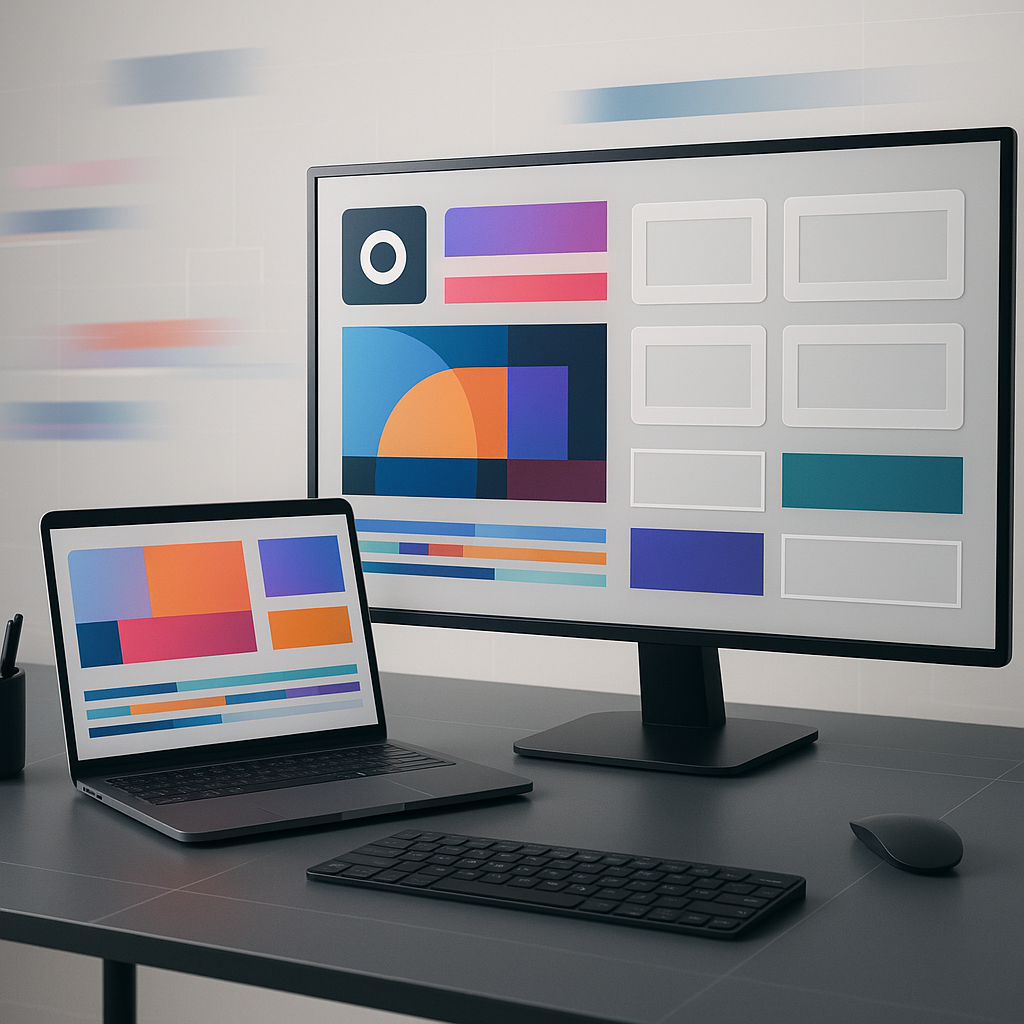
After Effects templates for marketing teams are pre-built motion design projects-think animated text, transitions, logo reveals, product showcases, and social-ready layouts-that you can quickly customize with your brand assets and campaign messaging. In practice, they’re the difference between “We need a launch video by Friday” being a mild inconvenience versus a minor existential crisis. Templates let marketing teams ship polished motion graphics at speed, keep visuals consistent across channels, and scale content production without requiring every deliverable to start from a blank composition.
On 2026-06-17, the pace of marketing content hasn’t slowed; if anything, audiences expect more motion, more clarity, and more platform-native formats than ever. Templates help you meet that expectation while preserving the things that matter most: brand integrity, message accuracy, and the sanity of the people assembling the assets.
📋 Table of Contents
What are after effects templates for marketing teams?
An After Effects template is an editable project file (typically .aep) designed to be reused. It contains pre-animated elements-typography, shape layers, timing curves, transitions, placeholders for images/video, and often a control panel for quick edits. For marketing teams, templates become a repeatable system: a visual “kit” that turns campaign inputs (copy, product shots, logos, CTAs) into output (ads, explainers, bumpers, reels, stories, email headers, event screens) with fewer steps and fewer surprises.
Templates also encode decisions. Someone already made the choices about pacing, hierarchy, and motion style-choices that usually take the longest when you’re starting from scratch. That doesn’t mean you surrender creativity; it means you begin from a well-lit path instead of hacking through the forest with a butter knife.
How templates streamline marketing video production
Marketing production is rarely a single video; it’s a family of deliverables. A product launch might need a 30-second paid ad, a 15-second cutdown, a 6-second bumper, a story version with safe margins, a square feed version, and a looping event screen-plus localized variants. Templates streamline that entire ecosystem by making the structure reusable: swap copy, replace media, update colors, export the set.
They also reduce the “hidden costs” of motion work. Without templates, teams spend time re-solving the same problems: how to animate a headline, how to transition between features, how to land on a CTA, how to keep lower-thirds readable. A good template bakes those solutions in, so your team can spend more attention on campaign strategy and storytelling rather than re-inventing the wheel for the 37th time.
Finally, templates improve collaboration. A marketer can review a draft and say “Make the benefit statement bigger and hold it longer,” and the editor can do that by adjusting a few controls instead of re-keyframing an entire sequence. When the inevitable last-minute legal line appears, it’s a text swap-not a full rebuild.
Types of after effects templates useful for marketing
Marketing teams use templates across the funnel, from attention-grabbing top-of-funnel motion to conversion-focused explainers and retention content. The most useful types tend to be the ones you can deploy repeatedly across campaigns while still keeping them fresh.
- Logo stings and brand openers: Short intros/outros that bookend videos and build recognition.
- Typography and kinetic text packs: Animated headline systems for ads, reels, and feature callouts.
- Social media story/reel kits: Vertical compositions with safe zones, sticker space, and CTA areas.
- Product promo and app showcase templates: Device mockups, UI callouts, feature highlight sequences.
- Explainer and infographic systems: Charts, counters, icons, and modular scenes for education-driven content.
- Lower-thirds and title packages: Name straps, captions, section headers-especially useful for webinars and interviews.
- Transitions and overlays: Wipes, glitch effects, light leaks, film grain, paper textures-used sparingly, ideally.
- Event and broadcast packages: Countdown timers, speaker slides, stage screen loops, livestream frames.
- End screens and CTA cards: Subscribe/follow prompts, QR codes, “Book a demo” panels, link-in-bio cues.
The best marketing template libraries usually mix “evergreen brand assets” (logo reveal, lower-thirds) with “campaign accelerators” (promo scenes, kinetic text, product mockups). That combination gives you both consistency and speed.
Browse After Effects templates for marketing teams
What features to look for in after effects templates for marketing teams
Not all templates are created equal. Some are gorgeous but brittle-one wrong change and the whole thing wobbles like a Jenga tower. Others are sturdy but generic, like wearing a suit that technically fits but makes you look like you borrowed it from a distant cousin. For marketing teams, the right features are the ones that balance brand flexibility, production reliability, and cross-channel output.
When you’re evaluating templates, think beyond the preview video. You’re buying (or building) a system. The question isn’t “Does this look cool?” but “Will this still look cool after we replace everything and export it in five formats under deadline pressure?”
Customization options to match brand identity
Brand identity is rarely just a logo and two colors; it’s typography, spacing, tone, pacing, and how motion behaves. A template worth using should make brand alignment easy rather than requiring you to fight it.
- Global controls: Color controllers, font selectors, and master toggles for light/dark variants.
- Editable typography: Support for your brand fonts (or easy replacement), adjustable tracking/leading, and responsive layout behavior.
- Modular scenes: Ability to reorder, duplicate, or remove sections without breaking timing.
- Logo and lockup flexibility: Horizontal/stacked logo options, clear space preserved, optional tagline fields.
- Motion style consistency: Easing curves and transitions that feel cohesive-no random “bouncy” bits unless your brand is literally a trampoline.
Look for templates that use essential properties (where appropriate), precomps that are clearly labeled, and a sensible layer hierarchy. If you open the project and it looks like someone dropped spaghetti into the timeline, your future self will not be sending thank-you notes.
Also: confirm whether the template relies on third-party plugins. Plugins can be great, but for a marketing team with multiple machines and freelancers, plugin dependencies can become the kind of “small” issue that eats an afternoon.
Compatibility with different marketing channels
Modern marketing doesn’t live in a single aspect ratio. Your template should anticipate the reality that one campaign becomes many formats. The best templates either come with multiple versions (16:9, 1:1, 9:16) or are built in a way that makes resizing manageable.
Key compatibility features include:
- Multiple aspect ratios included: Dedicated comps for vertical, square, and horizontal-ideally with platform-safe margins.
- Text safe areas and UI-safe zones: Especially for Reels/Shorts/TikTok where interface overlays can cover content.
- Export-friendly durations: 6s/10s/15s/30s variants, or easy timing adjustments without breaking animation.
- Caption-ready layouts: Space for subtitles or burned-in captions, with readable contrast.
- Support for alpha channels: If you need overlays for editors working in Premiere Pro or other NLEs.
If your team runs campaigns globally, also consider templates that handle longer translations gracefully. English headlines can be short; German and Finnish often are not. A template that collapses under longer copy will cost you more than it saves.
Ease of use for team members with varying skill levels
Marketing teams are mixed-skill by nature. You might have one motion designer, a few video editors, and several marketers who occasionally need to tweak a date or swap a product image. Templates should support that reality instead of punishing it.
Signs a template is friendly to mixed-skill teams:
- Clear naming conventions: “EDIT TEXT HERE” beats “Layer 47 copy final final.”
- Documentation: A short PDF or in-project notes that explain what’s safe to change.
- Controller layers: Sliders, dropdowns, and color pickers that reduce timeline surgery.
- Protected complexity: The fancy stuff is tucked away in precomps; the edit surface is simple.
- Performance-conscious design: Reasonable use of effects so previews don’t crawl.
Ease of use isn’t just about convenience; it’s a risk-management strategy. When templates are hard to edit, people make desperate edits. Desperate edits are how brands end up with stretched logos and unreadable CTAs.
How to select the right after effects templates for your marketing team
Selecting templates is part creative direction, part operations. You’re choosing a look, yes-but you’re also choosing how work will flow through your team for months. The right selection process reduces rework, avoids licensing trouble, and makes content production more predictable.
A practical approach is to shortlist templates as if you’re hiring them. Do they fit the role? Do they play well with others? Do they show up on time and not crash your render queue the night before launch?
Assessing template quality and design trends
Quality shows up in small things: how text animates in relation to the beat, whether spacing feels intentional, whether the motion supports the message instead of competing with it. Marketing templates should feel contemporary, but “trendy” can be a trap if it ages badly or distracts from clarity.
When assessing quality, look for:
- Legibility first: Headlines readable at phone size, sufficient contrast, no hairline fonts on busy backgrounds.
- Consistent motion language: Similar easing, coherent transitions, no random effect salad.
- Thoughtful pacing: Enough time to read; not everything has to move constantly to be “dynamic.”
- Clean design fundamentals: Grid alignment, balanced whitespace, disciplined color usage.
- Sound optionality: If audio is included, ensure you can swap it easily and that licensing is clear.
It’s also smart to test templates against your real content. Drop in an actual product screenshot, real copy, and your actual logo. A template can look stunning in a demo and fall apart when confronted with your brand’s very specific shade of teal and your very long feature name.
As for trends: minimal, bold typography remains effective for performance marketing because it reads fast. 3D and AI-styled visuals can be attention-grabbing, but they can also feel mismatched if your brand is grounded and human. Choose trends that serve your positioning, not your FOMO.
Evaluating licensing and usage rights
Licensing is where “quick and easy” can become “slow and expensive” if you get it wrong. Marketing teams should treat template licensing like any other creative asset: you need to know who can use it, where, for how long, and whether it can be used in client work or resold as part of deliverables.
Before adopting a template, confirm:
- Commercial use rights: Allowed for ads, paid campaigns, and monetized content.
- Seat vs. project licensing: Whether multiple team members can use it across machines.
- Client work permissions: If you’re an agency, ensure client usage is covered.
- Music and footage terms: Demo assets are often not included; verify what you’re actually licensed to use.
- Attribution requirements: Usually none for paid templates, but don’t assume.
When in doubt, document the license in your internal asset library alongside the template file. The goal is simple: six months from now, nobody should be guessing whether a template can be used in a new campaign.
Considering integration with existing workflows
Templates don’t live in isolation. They live in your workflow: creative briefs, brand guidelines, review cycles, localization, and distribution. A template that doesn’t fit your workflow will be abandoned-quietly, and then loudly when someone rebuilds everything from scratch.
Integration questions to ask:
- Does it fit your toolchain? After Effects version compatibility, Premiere/Media Encoder export needs, shared storage setup.
- Does it support your review process? Can you output quick drafts with watermarks, low-res previews, or timecode?
- Can it be templatized further? For recurring series, can you create a master “brand project” that spawns new episodes?
- Does it play nicely with localization? Easy text replacement, adjustable layout, and clean typography controls.
If your team uses shared libraries (for logos, icons, and brand colors), consider building a template wrapper project: a standardized After Effects project that contains your brand assets and links to selected templates, so every new campaign starts with the same foundation.
What are the popular sources and marketplaces for after effects templates?
Templates are sold everywhere from giant marketplaces to boutique creator shops. The “best” source depends on your priorities: budget, uniqueness, licensing clarity, and the likelihood of ongoing updates. For marketing teams, it’s often worth diversifying-one marketplace for breadth, another for premium hero assets, and an internal library for brand-critical components.
Regardless of where you buy, treat template acquisition like procurement: track what you purchased, store licenses, and keep a changelog of edits. The more your team relies on templates, the more important that operational layer becomes.
Comparing template marketplaces for marketing teams
Here are common marketplace categories and how they typically map to marketing needs:
- High-volume marketplaces
-
Large catalogs, wide price range, lots of “good enough” options. Great for quick social packs, transitions, and utility templates. The downside is sameness: popular templates can show up in many brands’ feeds.
- Subscription libraries
-
Predictable costs and broad access to templates, stock footage, and music. Useful for teams producing content weekly. Watch the fine print: some subscriptions limit usage after cancellation, or require active membership for new exports.
- Boutique shops and independent creators
-
Often more distinctive design and better craft. Great for flagship campaign looks, brand films, and hero sequences. Pricing may be higher, but you’re paying for uniqueness and polish.
- Agency-built/internal templates
-
Highest brand fit and best operational control. Requires upfront investment, but pays off when you need consistency across dozens of deliverables and teams.
Marketing teams often do best with a hybrid strategy: purchase a few premium, brand-aligned templates for your “signature” look, and supplement with utility packs for day-to-day needs.
Evaluating template updates and community support
Templates aren’t static. After Effects updates, OS changes, and codec shifts can break older projects. A marketplace with active maintenance-or a creator who updates files-reduces risk. Community support matters too: if you run into a bug at 9 p.m., a well-documented template with a Q&A thread can save you.
Signals of strong support include:
- Recent update history: Not just “published in 2019 and forgotten.”
- Clear version notes: What changed, what AE versions are supported.
- Responsive comments: Creator answers questions and fixes issues.
- Tutorial videos: Quick walkthroughs reduce onboarding time for new team members.
If you plan to standardize a template across campaigns, consider doing a “maintenance test”: open it in your current After Effects version, relink assets, do a sample export, and confirm nothing throws warnings or missing effect errors.
How to customize and edit after effects templates for marketing goals
Customization is where templates either become a marketing superpower or a brand liability. The goal isn’t to make a template unrecognizable; it’s to make it unmistakably yours. That means aligning motion with message, aligning design with brand, and aligning output with platform behavior.
A helpful mindset: treat the template as a stage set. You can change the actors (copy and visuals), the lighting (color and contrast), and the timing (pacing), while keeping the structure that makes the show run smoothly.
Adjusting animations to fit campaign messages
Marketing messages have intent: urgency, trust, delight, authority, calm confidence. Animation should reinforce that intent. A fast, snappy bounce might work for a playful consumer app; it might undermine a serious cybersecurity product. Templates often default to a “one-size-fits-most” energy level, so tuning motion is a high-leverage edit.
Practical ways to adjust animation without breaking the template:
- Timing changes: Extend holds for readability, shorten transitions for punch, and align key beats with the voiceover or music.
- Easing adjustments: Swap overly elastic easing for smoother curves to feel more premium or more trustworthy.
- Hierarchy tweaks: Make the primary benefit animate first; let secondary details arrive later or more subtly.
- CTA emphasis: Give CTAs a clean, confident entrance and enough screen time to be actionable.
Also consider campaign context. A retargeting ad may need clarity and speed-less flourish, more information. A brand awareness spot can afford more atmosphere. The same template can serve both if you’re willing to re-time and re-weight the motion.
If your template uses a lot of nested precomps, make small changes at the top level first. Only dive into the machinery when you must. That’s how you preserve stability and keep edits reversible.
See a clean UI animation template for product edits
Incorporating brand colors and logos effectively
Branding in motion isn’t about plastering the logo everywhere like a watermark. It’s about recognition through consistent choices: color usage, typography, spacing, and motion behavior. Logos should feel placed, not pasted.
Best practices for brand integration:
- Use a defined palette system: Primary, secondary, accent, background, and functional colors (success/warning) where relevant.
- Maintain contrast ratios: Especially for small mobile screens; avoid light-on-light text just because it matches the brand vibe.
- Respect logo clear space: Don’t crowd it with text or edges; templates sometimes do this by default.
- Consider logo animation style: A subtle reveal can feel premium; a flashy spin can feel off-brand for many companies.
When swapping logos, ensure you’re using the right file type (vector where possible) and that you’re not introducing blur or pixelation. If the template expects a specific aspect ratio, build a logo lockup that matches rather than stretching the mark. Stretching a logo is the visual equivalent of calling your client by the wrong name in a meeting.
Finally, bring in brand typography thoughtfully. If your brand font isn’t available across all machines, consider setting up a controlled fallback strategy, or package font installation instructions as part of your internal template kit.
Optimizing templates for different platforms and devices
Platform optimization isn’t just resizing; it’s designing for how people watch. Vertical video is often watched with sound off, one thumb scrolling, and half an eye on the next thing. Your template should adapt accordingly.
Optimization checklist by platform behavior:
- Mobile-first legibility: Larger type, thicker lines, fewer tiny details.
- Safe zones: Keep key text away from UI overlays (captions, buttons, profile icons).
- Captions/subtitles: Either build space for them or bake them in; don’t assume audio will carry the message.
- File size and codec considerations: Use efficient exports; avoid unnecessary grain/noise that balloons bitrate.
- Looping logic: For stories and short loops, make the ending flow naturally back to the start.
From a production standpoint, create platform-specific master comps: one for 9:16, one for 1:1, one for 16:9. Even if a template claims to be “responsive,” explicit comps reduce last-minute layout surprises. Build guides into each comp (safe margins, CTA zones) so anyone on the team can edit confidently.
If you’re producing in volume, consider creating an export preset matrix (resolution, bitrate, audio settings) that maps to your channel requirements. That turns exporting from an artisanal ritual into a reliable button press.
Best practices for implementing after effects templates in marketing projects
Templates deliver the most value when they’re treated as a shared system, not a personal stash of files living on someone’s desktop. Implementation is about governance: how templates are stored, how they’re edited, how changes are approved, and how the team learns to use them well.
Done right, templates become a quiet multiplier. Done poorly, they become a source of inconsistent output, broken links, and the dreaded phrase: “It worked on my machine.”
Collaborating effectively using shared templates
Collaboration improves when everyone edits from the same playbook. That starts with a shared template library and a simple rule: the library contains master templates, and campaigns use working copies. Masters stay clean; working copies can get messy.
Practical collaboration setup:
- Central storage: A shared drive or asset management system with clear folder structure.
- Standardized project packaging: Include fonts (where licensed), linked assets, and documentation.
- Template intake form: Track where the template came from, license details, supported AE versions, and notes.
- Brand review gate: A quick check for logo usage, typography, and color accuracy before final export.
Also: define what marketers can safely change (copy, images, color toggles) versus what requires a motion designer (timing curves, advanced effects, layout changes). That division of labor prevents accidental damage while still enabling speed.
Maintaining template version control
Version control sounds like something only engineers enjoy, but marketing teams need it too-especially when templates become mission-critical. Without versioning, you’ll end up with five “final” files and zero certainty about which one is approved.
A lightweight version control approach:
- Semantic naming: Brand_KineticTypePack_v1.2 beats newnewFINAL2.
- Changelog file: A simple text note listing edits, dates, and who made them.
- Locked masters: Only designated owners can update master templates.
- Archive old versions: Keep them accessible for legacy campaigns and quick rollbacks.
If your team is large or distributed, consider using a proper asset management tool or a versioned storage system. Even a disciplined folder structure can work, but the moment multiple people edit the same master file, you’ll want stronger guardrails.
Training teams to maximize template benefits
Templates only save time if people know how to use them. Training doesn’t need to be a week-long bootcamp; it can be a set of short, targeted sessions that match real tasks.
Effective training topics for marketing teams:
- How to swap media correctly: Replace footage without breaking aspect ratio, avoid unintended cropping.
- Typography hygiene: Line breaks, safe margins, and how to avoid awkward widows/orphans in headlines.
- Brand compliance basics: Approved colors, logo clear space, and when to use which lockup.
- Export settings by channel: Presets for social, web, and presentations.
- Troubleshooting: Missing fonts, relinking assets, cache issues, and performance tips.
One underrated tactic: record a 10-minute screen capture walking through your top three templates. New hires will thank you, and your motion designer will get fewer “quick question” pings that are never quick.
Common challenges marketing teams face when using after effects templates
Templates are powerful, but they’re not magic. Marketing teams often hit the same friction points: everything starts to look the same, technical constraints slow down production, and the promise of “easy customization” turns out to be optimistic marketing copy.
These challenges are solvable-usually with a mix of creative discipline and operational structure.
Avoiding template monotony and overuse
If you use the same template too often, audiences may not consciously notice-but they’ll feel it. Content starts to blur together. Your brand begins to look like it’s on autopilot. Worse, if you’re using a popular marketplace template, your visuals might resemble other brands in your category, which is not the kind of “brand consistency” anyone wants.
Ways to keep templates fresh without losing efficiency:
- Create multiple “skins”: Alternate colorways, background textures, and type treatments within brand guidelines.
- Rotate motion motifs: Keep consistent easing but vary transitions and scene structures across series.
- Introduce campaign-specific assets: Custom icons, illustrations, or product photography that anchors the look.
- Build a template roster: Assign certain templates to certain content types (product updates vs. thought leadership).
Another approach is to treat templates as starting points, then invest small design time to create a “house variant.” Adjust the grid, refine typography, tweak the motion. Over time, your team ends up with templates that are both efficient and uniquely yours.
Finally, remember that restraint is a creative choice. If every frame has a transition, nothing feels special. Use motion where it adds meaning: to guide attention, to clarify relationships, to create rhythm-not just to prove you can animate.
Managing technical limitations and software compatibility
Templates can be heavy. They may use high-resolution textures, multiple blurs, 3D layers, or complex expressions. On a powerful workstation, that’s fine. On a typical marketing laptop, it can feel like editing through molasses.
Common technical issues include:
- After Effects version mismatch: Template built for newer AE features; older versions can’t open it cleanly.
- Plugin dependencies: Missing third-party effects cause errors or broken visuals.
- Font problems: Missing fonts lead to reflowed layouts and broken line breaks.
- Slow previews and long renders: Especially with heavy effects, 3D, or high frame rates.
Mitigations that work in real teams:
- Standardize software versions: Align the team on a supported AE version for templates.
- Pre-render heavy sections: Cache complex comps or render elements to intermediate files when appropriate.
- Maintain a “template compatibility sheet”: Note required plugins, fonts, and performance considerations.
- Use proxy workflows: Especially for high-res product footage or device mockups.
Technical discipline is not glamorous, but it’s the difference between templates being a speed tool and templates being a recurring meeting agenda item.
How after effects templates improve marketing campaigns
Templates don’t just make production faster; they can improve campaign performance by increasing consistency, enabling more experimentation, and elevating perceived quality. When motion design is accessible, teams can test more creative variants, respond to performance data, and keep content feeling current across channels.
In other words: templates can move the needle not because they’re flashy, but because they make better marketing behavior easier-shipping more, learning faster, and staying on-brand while doing it.
Increasing brand consistency with templates
Brand consistency is a compounding asset. The more often audiences see a coherent visual language, the faster they recognize you, and the less effort it takes for your message to land. Templates help by enforcing a system: the same typography rules, the same spacing, the same motion signatures.
For marketing teams, consistency matters most when content is produced by many hands-internal teams, agencies, freelancers, regional marketers. Templates act like guardrails: they keep the work within the brand lane even when the driver changes.
Consistency also reduces review cycles. When stakeholders trust the system, they focus feedback on the message rather than the styling. That speeds up approvals, which speeds up publishing, which gives you more time to optimize based on results instead of debating whether the headline should slide in from the left or the right.
Enhancing audience engagement through dynamic visuals
Motion earns attention when it’s purposeful. Templates can provide that purpose-built movement: text that reveals in sync with the point being made, product shots that transition cleanly, data that animates in a way the brain can parse quickly.
Engagement improvements often come from simple wins:
- Faster comprehension: Animated hierarchy helps viewers understand “what matters” immediately.
- Improved retention: Rhythm and pacing keep people watching longer.
- Clearer CTAs: A well-designed end card can make the next step obvious.
Templates also encourage format-native creativity. Instead of forcing a horizontal TV-style ad into a vertical feed, you can use a vertical template designed for thumb-scrolling behavior-big type, clear framing, and quick story beats. That alignment with platform norms can lift performance without changing your message at all.
One caution: engagement isn’t the same as effectiveness. A template that looks exciting but obscures the product or muddles the offer is motion for motion’s sake. The best marketing templates make the message easier to understand, not harder.
Saving time and resources in content creation
Time savings are the obvious benefit, but the deeper resource gain is capacity. Templates let teams create more variations, more localized versions, and more rapid iterations. That means you can respond to data: if a hook underperforms, swap it; if a feature resonates, build more assets around it.
Resource savings show up in:
- Reduced design time: Less time spent on layout and animation fundamentals.
- Lower production costs: Fewer custom builds for every deliverable.
- More predictable timelines: Templates turn ambiguous tasks into repeatable processes.
For lean teams, this can be transformational. A single motion designer can support a much larger marketing output when templates are well-chosen and well-governed. For larger teams, templates reduce duplication of effort and keep output cohesive across departments.
How after effects templates impact ROI for marketing teams
ROI is where templates have to prove themselves. The business case isn’t “we made something pretty,” but “we produced more effective creative with fewer resources and learned faster.” Templates can contribute to ROI through productivity gains, improved creative testing velocity, and better-performing assets-assuming you measure the right things.
To make ROI visible, treat templates as a production investment. Track baseline performance before templates, then compare after adoption: time-to-publish, cost per asset, number of variants tested, and performance outcomes.
Measuring time saved and productivity improvements
Time saved is measurable if you define your workflow stages and track them consistently. Even simple tracking-start date, first draft date, approval date, publish date-can reveal meaningful improvements.
Metrics marketing teams can use:
- Cycle time per asset: From brief to export.
- Revision count: Fewer revisions often indicates clearer systems and more consistent design.
- Assets produced per week/month: Especially across formats and locales.
- Designer/editor utilization: More time spent on high-impact work (concepting, storytelling) rather than repetitive builds.
To quantify savings in dollars, translate time into cost using internal hourly rates or blended production costs. Then compare against template acquisition costs (marketplace purchases, subscriptions, or internal development). Many teams find templates pay for themselves quickly-sometimes within a single campaign-when they replace even a handful of custom builds.
One nuance: time savings can disappear if templates cause technical friction (slow renders, plugin issues). That’s why performance testing and workflow integration are part of ROI, not separate concerns.
Tracking engagement and conversion improvements
Templates can improve performance indirectly by enabling more iteration. Instead of debating which version will work, you can ship multiple variants and let the data decide. Templates make that feasible because the cost of producing Variant B and Variant C is low.
Performance metrics to monitor:
- View-through rate (VTR) and watch time: Especially for short-form video.
- Thumb-stop rate / first-2-seconds retention: Hook effectiveness for feed-based platforms.
- Click-through rate (CTR): When CTAs and offers are clearer.
- Conversion rate: Down-funnel impact, best measured with proper attribution.
- Cost per result: CPA/CPL/ROAS shifts after creative refresh cycles.
To isolate the template’s impact, compare like with like: same audience, same offer, different creative execution. Templates won’t fix a weak proposition, but they can help you present a strong proposition more clearly and test it more rigorously.
Another ROI angle is brand lift. Consistent motion branding can increase recognition and trust over time, which can improve performance even when direct conversion metrics don’t immediately spike. If you run brand studies or track direct traffic and branded search, templates can contribute to those long-term indicators by making your presence more recognizable.
Explore a YouTube-ready template for end screens and CTAs
Conclusion
Once templates become part of your marketing engine, the next frontier is building a motion design operating system: a set of rules, assets, and repeatable components that make your brand feel coherent everywhere it appears. That includes not only After Effects templates, but also a shared icon style, a library of background textures, a consistent caption system, and a “motion tone of voice” that defines how your brand moves-calm and precise, energetic and playful, bold and declarative, or something uniquely yours.
It’s also worth thinking about resilience. Campaigns change, platforms change, and teams change. A well-maintained template library-paired with clear licensing records, a lightweight versioning process, and short training materials-means your marketing output won’t hinge on a single specialist or a single heroic late-night render. The most valuable outcome isn’t just faster videos; it’s a team that can respond to opportunities quickly, experiment without fear, and keep the brand unmistakably itself while doing it.