Minimal brand motion design is about clear, confident movement that supports your message instead of distracting from it. For editors, motion designers, and content creators, a clean motion language can make projects feel premium while staying fast to produce inside After Effects. This guide shows how to think, plan, and animate minimal logo systems that scale across your whole edit.Explore motion templates
Foundations of Minimal Brand Motion Design
What minimal brand motion design means
Minimal brand motion design is a motion language built from just a few essential elements: simple shapes, limited colors, clean typography, and restrained timing. Instead of complex effects, you rely on clear movement and hierarchy to guide attention. Every keyframe has a reason to exist.
Why it matters for editors and creators
When you work in After Effects alongside Premiere or another NLE, minimal motion keeps projects manageable and consistent. It matters because:
- You can reuse the same logo reveal or lower third across hundreds of videos.
- Renders are lighter, which is crucial when you update content regularly.
- Your brand looks deliberate, not over-designed or trend-chasing.
Who benefits from a minimal motion style
This approach works for:
- Content teams producing social clips, explainers, or YouTube series who need repeatable, on-brand motion.
- Freelance motion designers building systems for startups, agencies, or SaaS products that must scale worldwide.
- Editors who are not full-time animators but need pro-looking, reliable motion elements in After Effects.
What makes motion feel minimal
You do not need flat design to be minimal. Instead, focus on:
- Clarity: one idea on screen at a time, no unnecessary layers.
- Order: structured timing; elements appear and exit in a simple sequence.
- Consistency: shared easing, durations, and spacing across all animations.
The core building blocks
In practice, a minimal brand motion system centers on:
- Logo animation as the primary sign of your brand identity.
- Type motion for titles, lower thirds, and end cards.
- Micro-interactions like subtle hover states, button presses, or icon reveals.
This foundation sets up everything that follows: how you design your minimal logo animation style, how you avoid clutter in After Effects, and how you scale a motion system across a full content calendar.
Exploring Minimal Logo Animation Style Variations
What is a minimal logo animation style
A minimal logo animation style is a focused set of moves that introduce your logo without noise: clear timing, a few simple transitions, and no effect overload. The logo remains readable at all times, even for quick social intros or skippable pre-roll ads.
Core style families
Most minimal logo styles in After Effects fall into several families:
- Mask and reveal: Shapes or text reveal the logo with simple linear or curved masks.
- Shape build: The logo “constructs” from geometric parts, often matching the brand mark.
- Opacity and scale: Clean fade and scale moves with careful easing, no extra glow or distortion.
- Line drawing: Thin lines trace or outline the logo, then settle into the final mark.
Matching style to brand personality
The same brand can support multiple minimal styles depending on context. For example, a tech brand might use a precise line-drawing reveal for product explainers and an opacity-based pop for short social clips. Look at how widgets and app-inspired animations, like a clean map interface animation, balance simplicity with recognisable motion cues.
Variations for different outputs
Consider these variations when you plan your logo package:
- Horizontal, vertical, and icon-only layouts for flexibility in different aspect ratios.
- Intro and outro versions with mirrored motion, so your videos start and end consistently.
- Silent and sound-ready versions where motion timing leaves room for subtle audio branding.
Using minimal motion in broader systems
A logo animation rarely lives alone. It should align with other minimal brand elements like counters, widgets, or product cards. For instance, a restrained logo intro can pair nicely with simple on-screen data or clean animated lyrics, similar in spirit to projects like lyric-focused animations that keep type legible while still feeling dynamic.
Where templates and collections fit
Because minimal styles share underlying principles, template collections are especially effective here: one project file can hold logo intros, lower thirds, and UI-style callouts that all speak the same visual language. The key is choosing templates that let you adjust shapes, easing, and timing without forcing heavy, stylistic effects you do not need.
Common Minimal Motion Mistakes in After Effects
Too many layers for a simple idea
Minimal brand motion design breaks when a simple logo reveal ends up with dozens of layers and nested precomps. This makes edits slow and invites inconsistency.
- Keep one clear animation per layer whenever possible.
- Use precomps sparingly for logical groups (logo, tagline, background).
- Name every precomp and main layer with a clear function.
Messy timing and unclear hierarchy
Even clean visuals can feel chaotic if everything moves at once. Common issues include:
- Elements entering simultaneously with no visual order.
- Uneven durations, making the logo feel rushed or late.
- Overly snappy cuts that clash with the brand tone.
To avoid this, decide on a hierarchy: background first, support elements second, logo last. Stagger keyframes slightly so the eye can follow a clear path.
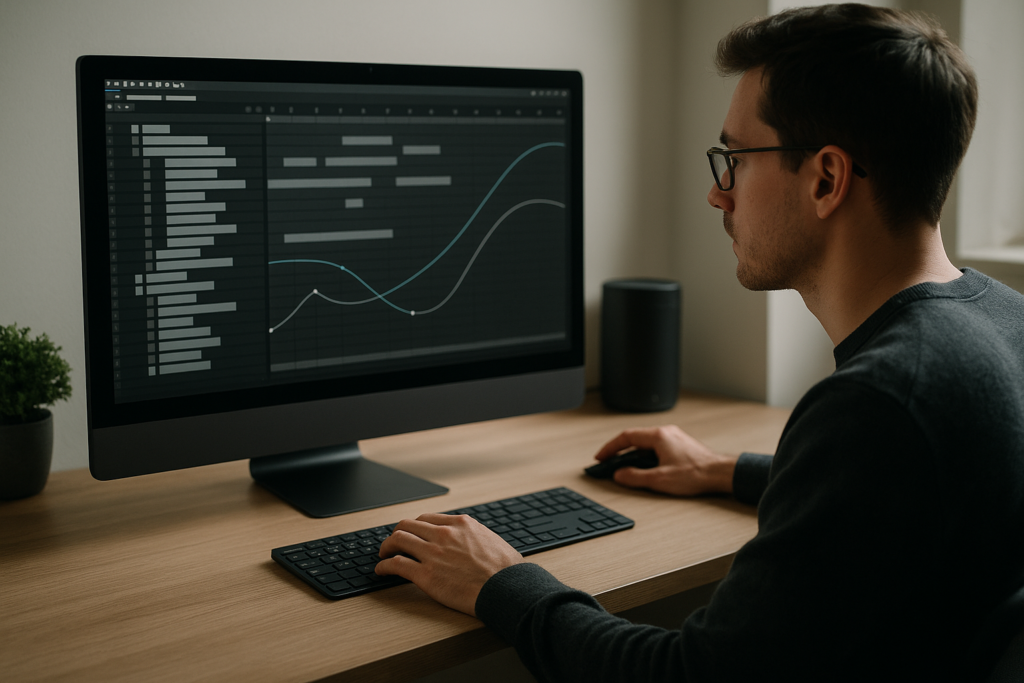
Ignoring the Graph Editor
Minimal motion depends heavily on easing. Straight linear keyframes often look mechanical, while default Easy Ease can feel generic.
- Use the Graph Editor to create a consistent custom ease curve.
- Store this curve as a preset so all brand animations share the same feel.
- Avoid overshooting unless it fits the personality; minimal motion usually stays grounded.
Overusing blur and glow
Motion blur and soft glows are useful, but too much breaks minimal clarity.
- Enable motion blur only where fast movement truly needs it.
- Keep glow subtle and avoid competing halo effects behind type.
- Check legibility on small screens; blur-heavy logos degrade quickly.
Heavy plugins for simple moves
Many minimal logo moves are just position, scale, and opacity. Plug-ins can introduce unnecessary complexity and render time.
- Ask whether each animation can be done natively before reaching for a plug-in.
- Disable unused effects in template comps to keep previews fast.
- Use plugin-based effects mainly where they clearly support the brand (e.g., organic distortion for a fluid identity).
No system for colors and typography
Minimal design quickly looks inconsistent if your colors and type styles change across comps.
- Centralize brand colors in a single control layer.
- Use pre-styled text layers for headings, subheads, and body.
- Lock style comps once approved, so they are not altered by mistake.
Forgetting export realities
An animation can look crisp in After Effects but fail after compression.
- Avoid ultra-thin lines that will shimmer at 1080p.
- Reduce micro-details that will be lost on mobile screens.
- Test your logo animation on a compressed MP4 or platform preview before sign-off.
Choosing the Right Minimal Motion Approach for Each Project
Assess the platform first
Before designing your minimal logo animation style, think about where it lives:
- Social reels and shorts: You need fast, readable motion under two seconds. Bold shapes, quick fades, and minimal steps between logo states work best.
- YouTube intros: You might have 2–4 seconds, allowing for a slightly more detailed reveal and integration with channel graphics.
- Paid ads: Logo should be visible early; often you want a pre-logo brand hint (color bar, shape, or text) followed by a quick lockup.
- Corporate or cinematic pieces: Motion can be slower and more graceful, with subtle easing and more breathing room.
Match motion style to content tone
Minimal motion is not always rigid. A playful consumer brand might use bouncy, micro-overshoot easing, while a financial or medical brand keeps moves precise and linear. Watch curated motion collections on platforms like Behance to identify how timing and spacing communicate different tones even when layouts are simple.
When templates are the smart decision
Hand-building every minimal logo animation from scratch is not always efficient, especially for content teams shipping daily videos. Using a solid base project lets you:
- Keep a unified animation language across intro, outro, and on-screen widgets.
- Swap branding for different clients or series without re-animating.
- Stay flexible for last-minute copy or logo changes.
Adapting a template to your brand
Choose templates that expose essential controls: brand colors, logo slots, and duration adjustments. A well-structured widget or product card file similar to an interface-inspired animation can become your base for several brands, as long as you manage colors, type, and easing carefully.
Building content-specific versions
For each project type, consider a small variation pack:
- Series intros: Consistent logo intro plus episode title animation.
- Product explainers: Logo animation, feature callouts, and subtle UI animations.
- Promo campaigns: Logo lockup plus flexible type blocks for offers and CTAs.
The goal is to design a minimal motion toolkit, not just a single logo reveal. Once the system is in place, editors can drop animations into timelines quickly while keeping the entire brand ecosystem cohesive.
Practical Template and Workflow Guide for Minimal Motion
Start with technical compatibility
Before diving into creative tweaks, confirm that your template or project file matches your production environment:
- After Effects version: Open the template in a matching or newer version than specified by the creator to avoid missing expressions or features.
- Frame rate: Align comp FPS with your edit (often 23.976, 24, 25, or 30). Changing FPS later can throw off timing and easing.
- Resolution: Set your master compositions to the highest resolution you need (e.g., 4K), then create downscaled renders or nested comps for 1080p, vertical 9:16, and square formats.
Clean project structure and naming
A good minimal brand motion system relies on organization as much as design.
- Group Logo, Text, Controls, and Render comps clearly.
- Name comps with purpose: LOGO_INTRO_MAIN, LOWER_THIRD_PRIMARY, OUTRO_LOCKUP.
- Use a dedicated control comp for colors, fonts, and global timing sliders.
Keyframe organization and precomps
Minimal animation usually means a limited set of moves repeated consistently.
- Keep keyframe counts low; prioritize position, scale, and opacity keyframes.
- Precomp the logo and tagline together so you can reuse timing across multiple variants.
- Use markers on layers or comps to label key moments: Logo On, Hold, Logo Off.
Performance and preview tips
Even simple designs can lag if your workflow is not optimized.
- Use Half or Quarter resolution previews when animating timing.
- Enable motion blur only near final approval.
- Rely on region of interest to preview only the active area around your logo.
- Turn off heavy adjustment layers during early iterations.
Managing plugin dependencies
If a template uses plugins, verify what is essential versus decorative.
- Identify all third-party effects using the Effects & Presets search.
- Where possible, replace plugin-based glows, blurs, and basic distortions with native effects.
- Test a plugin-free version if you expect collaborators to open the project without additional tools.
Systematic customization workflow
Think of your template like a design system instead of a single animation.
- Colors: Set brand colors on a control layer and use expressions or pick-whip connections to propagate updates instantly.
- Typography: Define 2–3 type sizes (title, subtitle, metadata) and stick to them; adjust tracking and leading for legibility on small screens.
- Timing: Use master duration sliders or time-remapping on precomps to create 1s, 1.5s, 2s, and 3s variations from the same base move.
Adapting motion to different formats
Once the core logo system works in one aspect ratio, adapt it methodically:
- 16:9: Standard placements with logo centered or anchored to a corner.
- 9:16 vertical: Move logos and text away from safe-zone edges where UI overlays might appear.
- 1:1 square: Consider stacking logo and tagline vertically for better balance.
Real-world template practice
When animating minimal branding for content that uses widgets or UI-like elements, reference existing motion structures. For example, a clean info panel project such as an interface-style widget animation shows how simple moves, consistent easing, and defined entry/exit patterns keep information readable while still feeling active.
Use case checklist
Before finalizing your minimal logo system, run it through different production scenarios:
- Reels and shorts: Does the logo become readable within the first second? Does it work muted?
- Product promos: Can the same animation support overlays like price tags or feature bullets?
- Ads and sponcon: Is there space for legal or partner logos without cluttering the frame?
- Cinematic edits: Can you slow the same motion down gracefully for a more atmospheric open?
Quality control steps before delivery
Before publishing or handing off the project:
- Render low-res previews and test them on a phone and laptop.
- Double-check for unwanted color shifts, especially on gradients or subtle backgrounds.
- Confirm that any expressions do not break when the project folder is moved.
- Archive a clean “master” version of the template with no client-specific branding layers.
Advanced Techniques for Consistent Minimal Motion Systems
Building reusable animation systems
Once your basic minimal brand motion design is set, the next step is building systems that scale across dozens or hundreds of deliverables.
- Create a small library of motion modules: logo intro, title, lower third, tag, and end card.
- Use consistent easing curves and durations across all modules.
- Store commonly used moves as animation presets for quick reuse.
Using styleframes and motion references
Before animating, design static styleframes that define color, spacing, and layout. Then:
- Translate a few keyframes directly from styleframes into After Effects.
- Align animation beats with design decisions: where lines start and end, where logo sits, how much whitespace is preserved.
- Keep a reference comp with all elements visible to check spacing consistency.
Modular transitions and scene changes
Minimal motion also means elegant transitions between scenes without heavy effects.
- Use simple wipes or shape expansions in brand colors.
- Borrow motion from your logo reveal: if lines draw the logo, let similar lines transition between scenes.
- Ensure transitions never obscure the logo when brand recognition is critical.
Keeping projects lightweight
Large content libraries can become heavy quickly.
- Avoid nesting precomps multiple levels deep unless absolutely necessary.
- Delete unused assets and layers from the final template.
- Enable disk cache and clear it periodically to maintain preview performance.
Render and export considerations
Even when the motion is minimal, export decisions affect how clean it looks.
- Use lossless or visually lossless formats (e.g., ProRes, DNxHR) out of After Effects for handoff to editors.
- For alpha-based logo animations, export with a proper transparent channel and test over multiple backgrounds.
- Check color space settings to match your delivery environment; avoid unexpected gamma shifts.
Dynamic link and collaboration pitfalls
If you pass projects between After Effects and NLEs with dynamic link:
- Keep logo comps separate from heavy VFX sequences to reduce load.
- Render final logo assets for frequent use cases to avoid re-opening AE for small edits.
- Document any essential project settings so teams worldwide can reproduce results reliably.
Ongoing refinement process
Minimal systems improve over time with real use:
- Collect notes from editors about what takes longest to adjust.
- Refine control layers to expose only the parameters users touch most.
- Archive major revisions so you can roll back without rebuilding from scratch.
By treating your minimal logo animation style as a living system, you keep your projects efficient, your branding steady, and your motion language ready for new platforms or formats as they emerge.
Search-Driven Ideas for Minimal Brand Motion and Logos
Common search intent themes
Editors and motion designers often search for very specific answers about minimal brand motion design and logo animation workflows. Addressing these topics in your own planning can help you design better systems and explain decisions to clients.
- “How long should a minimal logo animation be?” – Typically 1–2 seconds for social intros, up to 3 seconds for YouTube or branded content where you have more time.
- “How do I animate a logo with just shapes and text?” – Focus on position, scale, opacity, and masks. Use one or two simple reveals rather than stacking many effects.
- “What frame rate works best for clean logo motion?” – Match your main edit; 23.976 or 25 fps is common. The key is consistent timing and easing within that frame rate.
- “Can I reuse the same animation for vertical and horizontal videos?” – Yes, if you plan adaptive layouts. Keep core motion centered and leave safe areas for cropping.
- “How do I keep logo animations on-brand?” – Lock in brand colors, type styles, and easing curves. Save them in a master project or template that all team members use.
- “What is the simplest way to update a logo across multiple animations?” – Use precomps: place the logo in one master precomp and reference it everywhere. Updating that single precomp updates all instances.
- “How do I avoid noisy or overdone minimal animations?” – Limit the number of animated properties per element, stick to one or two transitions per sequence, and test on small screens.
- “What are good examples of minimal logo motion?” – Look at clean widget or interface-style animations and lyric-based projects that keep layouts simple while maintaining rhythm and clarity, similar to structured pieces like editing-focused widget animations.
By aligning your motion design questions with these recurring search intents, you can plan logo systems and templates that are not only visually minimal but also aligned with how clients and viewers expect modern brand motion to behave.
Bringing Your Minimal Brand Motion System Together
From single logo to full system
Minimal brand motion design starts with a logo reveal but comes to life when you extend the same motion language to titles, lower thirds, and transitions. Clean timing, limited effects, and consistent easing make your videos feel unified and premium without slowing your workflow.
Benefits for editors and teams
Working from a well-structured After Effects setup or template gives you:
- Faster turnarounds for social clips, ads, and long-form edits.
- Reliable, predictable motion that clients recognize across campaigns.
- Less time fighting messy comps and more time shaping the story.
Thinking long term
Treat your minimal logo animation style like a design system you refine over time. As you ship more content, update control layers, presets, and precomps so future projects are even easier to build. A flexible, minimal system keeps your brand ready for new formats, from short vertical clips to polished brand films.
When your motion language is simple, deliberate, and well-organized, you spend less energy on setup and more on creative decisions that actually move the story forward.Get unlimited AE templates
Conclusions
Minimal brand motion design rewards clarity, structure, and consistency. With a focused logo animation style and an organized After Effects workflow, you can deliver clean, flexible branding across any format while keeping timelines, teams, and revisions under control.
FAQ
How long should a minimal logo animation last?
Aim for 1–2 seconds for intros to social and short-form content, and up to 3 seconds for YouTube or brand films where you have more breathing room.
What properties should I animate for a minimal logo style?
Focus on position, scale, opacity, masks, and simple line strokes. Keep effects light and rely on consistent easing rather than complex distortions.
How do I keep minimal brand motion consistent across projects?
Use a master After Effects project with shared control layers for color, type, and timing. Reuse the same easing curves, durations, and precomps for all deliverables.
Can one logo animation work for both vertical and horizontal formats?
Yes. Keep the core motion centered and design flexible layouts so logos and text can shift position slightly for each aspect ratio without changing timing.
Do I need plugins to create minimal brand motion design?
No. Most minimal logo animations can be built with native After Effects tools. Use plugins only when they clearly support the concept or workflow.
What frame rate is best for clean minimal motion?
Use the same frame rate as your main edit, commonly 23.976, 24, 25, or 30 fps. Consistent timing and easing matter more than the specific value.