Luxury promo videos are all about precision, restraint, and detail. This guide walks you through a complete After Effects workflow for premium, high-end visuals, using smart template-based methods while keeping full creative control.Explore luxury-ready templates
Understanding Luxury Promo Videos in After Effects
What makes a promo feel luxurious
Luxury promos are not just about gold accents and serif fonts. In After Effects, luxury comes from controlled motion, generous spacing, rich but subtle textures, and a sense of calm confidence. Every cut, fade, and camera move feels intentional, never rushed or flashy for its own sake.
Core characteristics of luxury motion
- Clean layouts with strong hierarchy and minimal clutter.
- Slow, eased movements instead of snappy, bouncy animations.
- Refined color palettes: deep blacks, off-whites, muted golds, and rich accent colors.
- Elegant typography with careful tracking and line spacing.
- High contrast lighting and selective depth of field on visuals.
Why it matters for brands and creators
Brands in fashion, beauty, automotive, tech, and hospitality use luxury promos to signal quality and trust. As an editor or motion designer, being able to build a premium look in After Effects makes you valuable for clients who care about perceived value as much as features.
Who this workflow is for
- Editors who primarily cut in Premiere Pro or similar tools and need a reliable luxury look in AE.
- Motion designers building pitch decks, launch films, and brand refresh assets.
- Creators and agencies managing recurring series (product drops, seasonal campaigns) who want consistent luxury visuals without rebuilding from scratch.
The role of After Effects
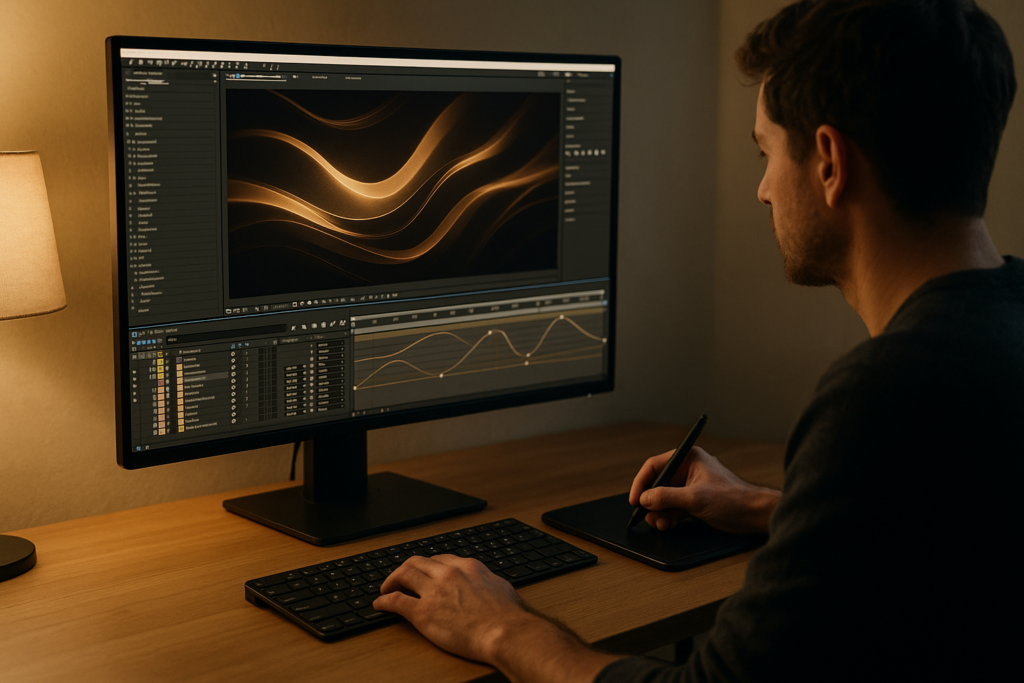
After Effects gives you precise control over typography, motion, and compositing. For luxury promos, you will focus less on complex particle effects and more on:
- Subtle camera moves on stills or product shots.
- Smooth text reveals and crossfades.
- Controlled use of blur, glow, and grain.
- Layered compositions that let you adjust timing and emphasis frame by frame.
This foundation sets you up to decide when to build from scratch and when a well-crafted template gives you speed without sacrificing quality.
Luxury Motion Graphics Templates and When to Use Them
What is a luxury motion graphics template
A luxury motion graphics template is a prebuilt After Effects project (or MOGRT) designed with high-end aesthetics in mind. It typically includes:
- Pre-styled typography scenes (titles, lower thirds, product cards).
- Camera and parallax rigs for stills or product videos.
- Curated transitions with smooth easing and minimal artifacts.
- Centralized controls for colors, fonts, and logo placement.
Types of luxury promo templates
- Product-focus promos for fashion, cosmetics, watches, tech devices.
- Brand story openers with abstract shapes, light streaks, and logo reveals.
- Social-first layouts for vertical Reels, Shorts, and Stories.
- Event and launch teasers with countdowns, dates, and hero taglines.
Choosing the right template for intent
Match the template to project goals:
- Awareness and prestige: longer hero shots, minimal text, cinematic pacing.
- Conversion-focused promos: clearer calls-to-action, feature highlights, price tags used sparingly.
- Editorial / lifestyle promos: more typography, quotes, location cards, and mood-driven transitions.
Relevant template use cases
If you are building high-end UI or fintech sequences, a polished widget-style layout such as the one used in this premium fintech animation example can be a great reference for composition and subtle motion. For automotive or technology brands, you might study how a project like this sleek automotive UI widget handles reflections, zooms, and timing. Creators working with remote or communication products can look at structured layouts similar to the composition in this meeting interface style scene to keep their promos clean and legible.
Template vs custom build
- Use templates when: You have tight deadlines, multiple deliverable sizes, or recurring campaigns that must stay on brand.
- Build custom when: You are defining a brand from scratch or need very unique motion language.
In many real-world workflows, you will blend both: start from a luxury template for structure, then customize motion, look, and timing to match your brand or client precisely.
Common Mistakes When Building Luxury Promos in After Effects
Over-animating everything
Luxury design thrives on restraint. A common mistake is giving every element its own bounce, overshoot, or rotation. This quickly feels cheap or chaotic.
- Limit main motion to 1–2 key elements per scene.
- Use supporting motion (backgrounds, particles) at very low intensity.
Poor timing and easing
Linear keyframes and default easing can make movement feel robotic. Luxury motion usually has soft, smooth acceleration and deceleration.
- Use the Graph Editor to refine speed curves.
- Avoid abrupt stops; end movements gently before the cut.
Messy compositions and naming
Unlabeled layers, random precomps, and inconsistent naming slow you down and cause mistakes.
- Group related elements into precomps (e.g., “Scene_01_Title”, “Scene_01_Background”).
- Use consistent prefixes like “CTL_” for control layers and “BG_” for backgrounds.
Overusing motion blur and glow
Too much motion blur or glow can flatten details and look more like a glitch than a premium touch.
- Enable motion blur only where it makes physical sense (fast moves).
- Keep glow radii subtle and glow opacity low, especially on text.
Ignoring aspect ratios early
Designing only for 16:9 and then forcing a 9:16 crop makes elegant layouts feel broken.
- Plan key scenes in both horizontal and vertical crops.
- Keep critical text and logos within a safe central zone.
Heavy plugins and unstable stacks
Stacking multiple third-party plugins on 4K footage can make previews crawl.
- Pre-render heavy effects and re-import as ProRes or similar mezzanine codecs.
- Avoid complex 3D setups if a 2.5D parallax will achieve the same luxury feel.
Inconsistent color and typography
Luxury promos suffer when each scene has different fonts or random shades of gold.
- Create a mini style guide before you animate: 1–2 fonts, defined sizes, 3–5 core colors.
- Use adjustment layers or control comps to drive global color tweaks.
Addressing these pain points early keeps your After Effects project clean and lets you focus more on nuance and detail instead of firefighting issues late in the process.
Choosing the Right Approach for Each Luxury Promo
Start with purpose and platform
How you create luxury promo videos in After Effects depends heavily on where the promo will live and what it must achieve.
- Social reels and shorts: Vertical formats with punchy hooks in the first 1–2 seconds, minimal text, and bold key visuals.
- Paid ads: Clear hierarchy of messaging, quick product clarity, and legally required text kept clean and readable.
- YouTube brand films: Longer narrative structure, slower reveals, more time for atmosphere and story.
- Corporate or B2B promos: Structured titles, stats, and UI demos with a restrained palette and controlled camera moves.
Hybrid workflows with editing apps
Many editors cut the base structure in their NLE, then send key sequences to After Effects. For recurring sequences such as animated widgets or lyric segments, a dedicated comp can save hours on each project; see how a modular project like this lyric-based animation keeps timing and layout systemized.
When templates are the smarter choice
Templates shine when you:
- Need multiple variations: different languages, regions, or seasonal offers.
- Have to deliver in many formats (16:9, 1:1, 9:16) with unified design.
- Are working with clients who want frequent revisions but expect short turnaround times.
A curated library or an Unlimited After Effects Templates Subscription gives you a starting point for layouts, transitions, and type systems, so you focus on storytelling and polish rather than rebuilding structure.
Look for proven visual languages
Inspiration from award-winning motion sites such as Awwwards helps you recognize patterns common to premium brands: slow reveals, micro-interactions, and layered compositions.
Example decision-making
- Luxury fragrance social ad: Use a template that includes slow macro reveals, dust or particle overlays, and refined serif type. Customize with brand colors and product shots.
- Fintech launch promo: Choose a UI-focused template with clean cards, masking transitions, and micro-interactions, then adapt to your app screens.
- Automotive hero film: Combine a cinematic title template with your own footage, adding only subtle overlays and typography animations.
By aligning platform, brand tone, and template structure, you stay efficient while still delivering unique, high-end promos that feel tailored rather than generic.Get premium AE promo assets
Step by Step Luxury Template Workflow in After Effects
Prepare your project correctly
Before importing a luxury motion graphics template, set up a clean After Effects project:
- Create a folder structure (00_Assets, 01_Comps, 02_Renders, 03_PreRenders).
- Decide on your main resolution (often 1920×1080, 3840×2160, or 1080×1920 for vertical) and frame rate (23.976, 25, or 30 fps based on deliverables).
- Set project color depth (16-bit or 32-bit) if the template supports it; this helps smooth gradients and glows.
Check compatibility and versions
Luxury templates often use newer AE features. Confirm:
- Minimum After Effects version required (e.g., CC 2019+).
- Whether expressions are language-independent.
- Any dependencies on third-party plugins.
If a template uses heavy plugins and you need a leaner setup, look for versions that rely on native effects only, or consider replacing plugins with simpler native equivalents.
Import and understand the structure
When you open the template project:
- Locate the master render comps (often named something like “Final_16x9” or similar).
- Find the primary control comp that holds global settings (colors, logo, fonts).
- Open a scene comp and observe timing, layer naming, and precomp structure before changing anything.
Studying a well-structured template is a learning tool in itself; many high-end templates use modular organization similar to complex projects like this multi-scene edit-oriented layout, where segments are broken into reusable blocks.
Organize keyframes and precomps
Luxury promos rely on subtle, aligned timings. To keep control:
- Keep main text, backgrounds, and accents in separate precomps when possible.
- Use markers on your master comp to tag key beats (logo on, tagline, product hero, CTA).
- Avoid random keyframes; snap in and out points to frames that align with your music or SFX.
Performance and preview tips
- Lower preview resolution to Half or Quarter when blocking out motion.
- Use Region of Interest to preview only the area you are tweaking.
- Enable Disk Cache and purge it occasionally if performance drops.
- Consider using proxies for 4K product footage.
Handle plugin dependencies smartly
If the template references plugins you do not own:
- Check if there is a “No Plugins” version in the project.
- Replace complex blur/glow plugins with native Gaussian Blur, Fast Box Blur, or Glow.
- For 3D text plugins, you can often substitute with native 3D layers and subtle bevel or lighting.
Customize colors and typography
For a luxury feel, keep customization controlled.
- Centralize your brand colors in a single control comp using Color Controls or Adjustment Layers.
- Limit yourself to one primary and one secondary font; adjust tracking and line height for readability.
- Audit all scenes to ensure font sizes and weights feel consistent across the promo.
Adjust transitions and timing
Luxury promos usually favor understated transitions.
- Replace aggressive wipes with soft fades, luma fades, or gentle push moves.
- Lengthen important shots by a few frames to let details breathe.
- Use sound as a guide: align key title reveals with subtle musical hits or swells.
Use cases and layout variations
You can adapt the same luxury template for multiple deliverables:
- Reels / Shorts: Focus on the strongest 3–5 seconds of your hero scene, with clear product and brand imprint.
- Ads: Build a slightly more informational version with feature callouts, but keep typography clean.
- Product promos: Use multiple close-up scenes with minimal text and larger product framing.
- Cinematic edits: Extend transitions and use more negative space, letting music and sound design lead.
Final checks before render
Create a short checklist:
- All scenes share the same color correction and grain treatment.
- Logos are sharp, centered, and never distorted.
- Text stays well within title/action safe areas.
- Music and animation feel synchronized without rush.
When this workflow is repeatable, your luxury promos become faster to build, easier to revise, and consistent across campaigns.
Advanced Techniques for Consistent Luxury Motion
Build reusable animation systems
Instead of animating titles from scratch each time, create reusable systems:
- Precomps for titles with expressions-driven controllers (opacity, position, blur) on a single control layer.
- Modular transition comps that can be dropped between any two scenes.
- Master control comps for global timing offsets.
These systems let you adjust the “feel” of the entire promo from one place.
Maintain visual consistency
To keep a luxury look across multiple edits:
- Use the same easing curves on keyframes across scenes (copy-paste ease values in Graph Editor).
- Reuse camera rigs where possible to avoid jarring perspective shifts.
- Keep a consistent grain or texture overlay on top of everything at a very low opacity.
Styleframes and look development
Before animating, build 3–6 styleframes:
- One hero intro frame (logo or main product).
- One typography-heavy frame (tagline, benefits).
- One detail frame (macro product shot, UI close-up).
Lock in colors, framing, and type on these frames. Then use them as a reference as you customize the template or build scenes, ensuring nothing drifts off-style.
Quality control passes
Do at least two focused passes:
- Motion pass: Watch muted, focusing only on timing and easing. Does anything feel rushed or jittery?
- Design pass: Check spacing, alignment, and hierarchy. Are any elements too close to edges or overlapping awkwardly?
Export and render considerations
Luxury visuals rely on clean gradients and smooth motion.
- Render to a high-quality intermediate (like a visually lossless codec) before final compression.
- Use bitrate settings appropriate to your platform; avoid over-compressing dark gradients.
- In the Render Queue or Media Encoder, ensure frame rate and color space match your project settings.
Dynamic link and project weight
When sending comps to your NLE through dynamic link:
- Keep linked comps relatively simple; pre-render heavy or effect-laden segments.
- Consolidate and reduce project to remove unused assets before archiving.
- Use Collect Files if you need to hand off to collaborators to ensure nothing goes missing.
Working long term with luxury brands
For brands that need ongoing high-end promos worldwide:
- Develop a shared template library with labeled versions for each region or product line.
- Document basic usage rules so other editors do not break the luxury look.
- Schedule periodic refreshes of transitions and typography to keep visuals feeling current while preserving brand DNA.
Over time, this approach turns your templates and workflows into a dependable system rather than one-off experiments.
SEO Driven Ideas and Quick Answers for Luxury AE Promos
Common search intents and how to address them
- “how to create luxury promo videos in after effects”
Focus on clean typography, controlled motion, subtle color palettes, and organized comps. Start from a high-quality luxury template to save time and maintain consistency. - “best settings for luxury motion graphics”
Work in 16-bit or 32-bit color, choose a cinematic frame rate (23.976 or 25 fps), and ensure your export bitrates are high enough to keep gradients and fades clean. - “luxury motion graphics template for social media”
Look for templates with built-in vertical and square comps, easy color controls, and legible typography at smaller sizes. - “how to animate luxury text in after effects”
Use small position shifts, opacity fades, and blur reveals with soft easing. Avoid overdone presets; tweak curves in the Graph Editor for smooth motion. - “cinematic product promo after effects”
Emphasize macro shots, slow dolly or parallax moves, gentle camera drift, and sparse on-screen text with enough screen time to read comfortably. - “optimize after effects for 4k luxury promos”
Use proxies for heavy footage, pre-render complex comps, and keep your project organized so you can quickly disable or solo layers when previewing. - “luxury title animation download”
Seek title templates that provide centralized controls, clear documentation, and multiple layout options so you can adapt them to various formats and campaigns. - “how to keep after effects promo projects clean”
Use standardized naming conventions, color-coded layers, folders for each scene, and master control comps for global changes.
By understanding these frequent questions, you can design your promo and template workflow so it answers client needs directly and efficiently.
Bringing It All Together for High End Luxury Promos
Recap the luxury promo mindset
Successful luxury promos in After Effects are about control, clarity, and detail. You plan your visual language, keep motion restrained, and organize your project so every change is deliberate rather than reactive.
Key workflow pillars
- Define your brand look with styleframes and a tight palette.
- Use a luxury motion graphics template as a structural base when speed and consistency matter.
- Stay disciplined with typography, timing, and easing curves.
- Optimize your project for smooth previews and clean exports, especially for 4K or multi-format campaigns.
Long term benefits
Once your system is in place, creating luxury promos becomes repeatable: you can deliver series, seasonal campaigns, and regional variations quickly while keeping visuals premium and on-brand, whether for local launches or worldwide releases.
Next steps
Refine one project at a time. Start with a focused luxury promo, document what worked, and turn it into your own reusable template base so every future project starts from a proven foundation rather than a blank comp.Start with curated AE templates
Conclusions
Luxury promos in After Effects reward careful planning, subtle motion, and disciplined design. With clean templates, organized projects, and thoughtful timing, you can consistently deliver premium visuals that feel bespoke, not generic, while keeping your workflow fast and reliable.
FAQ
What makes a promo video look luxurious in After Effects?
Subtle motion, minimal layouts, consistent typography, rich but restrained color, and precise easing make promos feel luxurious rather than noisy or generic.
Do I need plugins to create luxury motion graphics templates?
No. Plugins help, but you can achieve a premium look using native effects, 2.5D parallax, and good color and typography choices inside After Effects.
What frame rate is best for luxury promo videos?
23.976 or 25 fps are common choices; they offer a cinematic feel. More important is consistent frame rate across your project and exports.
How can I keep my luxury promo projects fast and responsive?
Use proxies for heavy footage, pre-render complex comps, keep layers organized, and lower preview resolution when blocking animation.
Can I reuse one luxury template for multiple brands?
Yes, if the design is neutral. Swap colors, fonts, and content, and adjust motion slightly so each brand still feels distinct and on-voice.
Are luxury motion graphics suitable for social media ads?
Yes. They work well for premium products and services, as long as text stays legible, pacing respects short attention spans, and layouts suit vertical formats.