
01
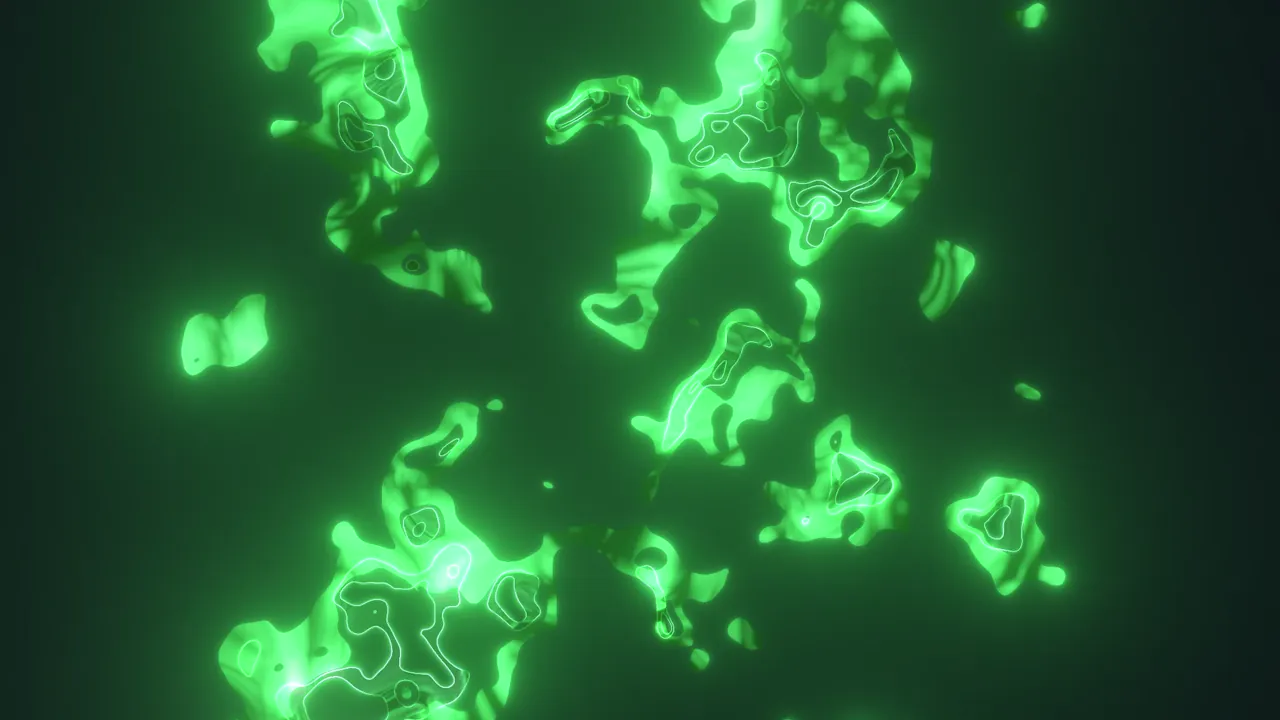
Toxic
An acid-green burst with a hard digital echo.
New: Glitch for After Effects
An After Effects panel that adds a fully animated, colored glitch to your comp in about a second. Six presets, any format, editable forever.
One-time payment · Instant download · Lifetime license
Why Glitch
A good glitch means fractal noise, mattes, displacement, color mapping, glow and an offset echo, then resizing all of it for every format. Glitch does that work in about a second, so you spend your time on timing and taste.
By hand, every single time
With Glitch
A finished precomp lands at your playhead, sized to your comp and ready to render. In about a second.
Case studies
Every loop below is one preset. Use it as it is, or as a starting point: change the shape, texture, colors, hue, echo and glow right in the panel.
An acid-green burst with a hard digital echo.
A violet ring that punches out from the center.
Hot orange blocks tearing across the frame.
A cold cyan star. Clean, sharp, very tech.
A magenta square that sweeps the screen.
Pure black and white. Sits on any grade.
How it works
Move to the moment the glitch should hit.
Choose a preset or dial in your own shape, texture and colors. The preview in the panel updates live.
A finished precomp lands in your timeline in Add mode, ready to render.
The very first glitch in a project can take a little longer while After Effects builds a small base. Every glitch after that is a quick copy.
Inside every glitch
By hand this is many layers, mattes, expressions and effects. The panel builds all of it, and every piece stays editable from the panel or from the Glitch Controller inside the precomp.
Features
Toxic, Ultraviolet, Ember, Ice, Pink signal and Mono. One click sets everything.
Three color pickers plus a hue shift to explore color moods in seconds.
From soft and cloudy to hard digital blocks.
9:16, 1:1, 16:9, 4:5, 4K. Glitch reads your comp and builds to match.
Change any glitch later: Update selected in the panel, or the Glitch Controller. Keyframe any setting.
Built from native After Effects effects. Uses Deep Glow when you have it.
Formats
Glitch reads your composition's width, height and frame rate and builds to match. A vertical Reel, a square post and a 4K YouTube video all get a sharp, correctly framed glitch. A 4K comp gets a 4K glitch, not an upscaled one.
Glow
Glitch works out of the box with After Effects' own Glow. If you own Deep Glow 2, Glitch detects it and uses it automatically for softer, richer highlights. No settings to change, no missing effects when you share a project.
Portable projects
Glitch uses only native After Effects effects. Send the project to a client or a teammate without the plugin and it opens and renders the same.
If Deep Glow was used, their machine needs Deep Glow too, otherwise the glow is skipped.
Pricing
One-time payment in USD. No subscription.
Pays for itself the first time a client asks for "that glitch thing".
Specs
After Effects 2025 and 2026, on macOS and Windows.
No. Glitch works out of the box with After Effects' built-in Glow. If Deep Glow 2 is installed, Glitch uses it automatically for a softer glow. Deep Glow is sold separately by its developer.
Yes. Glitch adapts to any composition: 9:16, 1:1, 16:9, 4:5, 4K and custom sizes, at any frame rate.
Yes. Select it and press Update selected in the panel, or open the precomp and use the Glitch Controller. You can keyframe any setting.
Yes. Glitches are built from native After Effects effects, so projects open and render on any machine.
Download the free ZXP Installer from aescripts, drag in the Glitch file, and restart After Effects. The panel is under Window > Extensions > Glitch. A full PDF guide is included.
An instant download: a ZIP with the Glitch .zxp file, a quick-start README and the full user guide (PDF). We also email you the download link, and your invoice arrives in a separate email.
Yes. Unlimited personal and commercial projects. One license is for one person.
No and no. You pay once and keep it. All 1.x updates are free.
After Effects 2025 and 2026 · macOS and Windows · Lifetime license
Glitch for After Effects
Lifetime license · Instant download
This takes a few seconds. Please keep this window open.
Your download is ready. We also sent the link to , so you can download it again anytime.
Download Glitch (.zip)