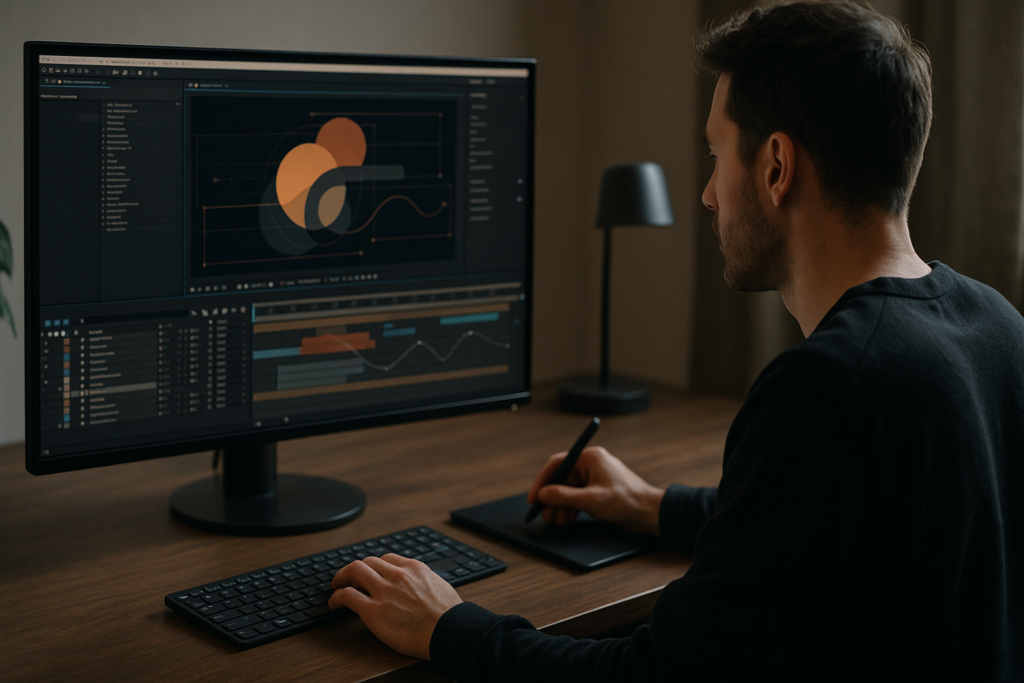
Motion design trends April 2026 are heavily shaped by short-form video, UI-inspired visuals, and hyper-efficient editing workflows. For editors and creators inside After Effects every day, knowing which trends matter is the difference between scroll-stopping edits and forgettable content. This guide focuses on practical, template-friendly techniques you can plug into your projects immediately.Browse motion templates
📋 Table of Contents
What Motion Design Trends April 2026 Really Means
Defining motion design trends April 2026
When people talk about motion design trends April 2026, they usually mean two things: how visuals look and how they are built inside tools like After Effects. It is aesthetics plus workflow. For working editors and designers, a trend is only useful if it is fast to produce, repeatable, and feels current on platforms like TikTok, YouTube, and broadcast.
Core aesthetics showing up everywhere
Across client decks, social feeds, and pitch boards, a handful of visual themes keep repeating:
- Product UI and widget-style graphics that feel like polished screenshots brought to life.
- Layered collage and cutout looks with mixed frame rates and subtle texture.
- Soft gradients and liquid glass effects replacing flat color blocks.
- Micro-interactions and tiny motion details like hover states, tap ripples, and status indicators.
- Lyrics and caption-driven layouts that sync tightly to sound.
Why these trends matter for editors
For a YouTube editor, social content lead, or motion designer juggling multiple clients, these trends matter because they directly affect:
- Client expectations – decks and references now assume you can create app-like widgets, animated captions, and liquid overlays.
- Turnaround time – trends favor modular, repeatable systems, which you can build once and reuse across an entire series.
- Perceived quality – clean UI-inspired motion often looks more expensive than it actually is to produce.
Who benefits from understanding these trends
Trends in motion design are not just for full-time motion designers. They are crucial for:
- Video editors who primarily cut in Premiere or similar tools but polish their graphics in After Effects.
- Short-form creators producing reels, shorts, and TikToks that need fast, stylish overlays.
- Agencies and brands that want visual consistency across worldwide campaigns and channels.
- Freelancers who must adapt quickly to brief references and moodboards from design-forward clients.
Templates and systems as part of the trend
A huge shift by April 2026 is that trends are less about one-off bespoke animations and more about systems—modular widgets, lyric layouts, and UI kits that can be remixed project after project. That is why template-driven workflows inside After Effects are now considered part of the trend, not separate from it.
Latest Animation Trends Editors Actually Use
From buzzwords to usable styles
The latest animation trends only matter if you can drag them into a timeline and get them client-ready in an afternoon. For After Effects users, that means trends must be compatible with your comps, footage, and export needs.
1. UI widget and app-style motion
App-inspired widgets are dominating social explainers, finance promos, and SaaS launches. Think payment cards, map pins, chat bubbles, sliders, and overlays that sit over footage.
- They frame real footage with context and data.
- They stay legible even when scaled vertically for stories.
- They work well in series-based content where layouts repeat.
To see this style in action, look at app-inspired projects like a polished payment widget animation or a clean pickup overlay similar to ride-hailing apps.
2. Music-synced lyrics and kinetic captions
Another group of latest animation trends is lyric-focused motion: on-beat word reveals, stacked lines, and bouncy type that reacts to vocals and drums.
- Great for music videos, TikTok edits, and fan-made visuals.
- Works across genres from pop to drill and R&B.
- Also repurposed as bold social subtitles for podcasts and talking-head videos.
Layouts similar to animated lyric sequences and caption widgets, like stylized music overlays you might build by referencing a piece such as a bold lyrics widget concept, are prime examples.
3. Liquid glass, soft gradients, and blurred overlays
Motion designers are moving away from flat cards. Semi-transparent panels, subtle glass distortion, and light refraction add depth without going full 3D. These looks sit nicely over footage, helping text pop while keeping the background visible.
- Useful for intros, chapter cards, and lower thirds.
- On-trend for tech, fintech, and music channels.
- Pairs well with soft glow, vignettes, and slow camera moves.
Think of liquid surfaces and layered blur similar to a liquid glass effect animation.
4. Mini product scenes and micro stories
Short-form platforms reward fast, simple stories. Editors are building 3–7 second scenes that show one action: a card tap, an app notification, a location selection, or a playlist shuffle. These scenes function as visual hooks or transitions between longer sections.
- They can be cut between talking-head segments.
- They can illustrate a single product benefit.
- They reuse the same animation system with new text or logos.
5. Widgetized utilities and functional overlays
Utility-driven latest animation trends include timers, progress bars, battery states, and map indicators. These are especially popular in explainer videos and user-journey walkthroughs because they add clarity:
- A loading or charging sequence similar to a sleek battery loading animation can visualize waiting or progress.
- A map-style overlay like a route or pin animation can show “before and after” in a clear, visual way.
All these trends share a theme: they are modular, reusable, and work perfectly with template-based workflows in After Effects.
Common Motion Design Mistakes In 2026 Workflows
Trendy visuals, broken foundations
Chasing motion design trends April 2026 without a solid workflow leads to messy projects and renders that miss deadlines. Most issues do not come from style, but from how comps are managed and animated inside After Effects.
Checklist of frequent problems
- Messy comp structure – No consistent naming, multiple random main comps, and assets scattered across the project panel.
- Ignoring frame rate and resolution – Mixing 23.976, 25, and 30 fps in one timeline, or bringing vertical content into horizontal comps without planning.
- Overusing heavy plugins – Slapping glow, grain, and distortion on everything instead of using pre-renders or simpler techniques.
- Uncontrolled motion blur – Turning on motion blur for every layer at maximum samples, creating muddy edges and longer render times.
- Graph Editor misuse – Over-easing every keyframe into slow, floaty moves that do not match the snappy character of most latest animation trends.
- No precomps for complex widgets – Animating dozens of layers directly in the main comp, which makes timing changes painful.
- Poor audio sync – Guessing beats instead of placing markers, leading to lyrics and UI pings that feel slightly off.
Why these mistakes hurt
- Lost time – Every client tweak (like updating a color or changing line length) becomes a search mission through layers.
- Inconsistent style – Without pre-built systems, each new graphic looks a bit different, which undermines brand consistency.
- Render failures – Overcomplicated effects and nested 4K precomps often cause crashes or excessive render times.
- Hard handoffs – Other editors or clients cannot easily pick up your project, which is a problem for teams in worldwide productions.
Simple principles to avoid trouble
- Decide on fps and resolution for each project up front.
- Use clear naming for precomps, especially for reusable widgets and lyric blocks.
- Reserve heavy effects for hero moments; use adjustment layers and pre-renders.
- Use the Graph Editor with intention, creating snappy yet controlled curves.
- Keep main comps relatively light; nest reusable elements in precomps.
Once these foundational issues are controlled, trends like UI widgets, liquid glass, and kinetic type become easy to execute and update.
Choosing The Right Trend And Workflow Per Project
Match style to story, not just to hype
Editors often grab the latest animation trends because they look cool on a reel. A better approach is to let the content type decide the motion system you use. That keeps you on-trend while still serving the story and the client brief.
For social reels and shorts
- Use bold captions and widgets that read without sound.
- Animate one idea at a time – a tap, a swipe, a quick lyric hit.
- Stick to simple, loopable transitions like swipe cards, scale pops, and masked reveals.
Here, a minimal widget-based style like a clean social channel overlay concept can help structure the cut while keeping the screen readable on phones.
For product ads and SaaS explainers
- Lean into UI motion – menus, app panels, charts, payment cards.
- Use liquid glass panels or soft gradients to separate data from footage.
- Make motion purposeful: each animation should clarify a benefit, not just decorate.
For YouTube channels and long-form content
- Create a graphics package with intros, lower thirds, transitions, and info panels.
- Ensure all motion feels like one system: similar easing, timing, and effects.
- Use reusable scenes and transitions so you can drop them into new episodes quickly.
For cinematic or music-driven edits
- Play with mixed frame rates, light leaks, and lyrics synced to beats.
- Use texture, blur, and overlap for mood, but keep text legible.
- Design motion to match the track structure: intros, drops, bridges, and outros.
Templates and subscriptions as a strategic choice
Instead of keyframing everything from scratch, many teams follow a hybrid strategy:
- Start from a proven animation system or template for widgets, lyrics, or product scenes.
- Customize type, colors, and timing to match the brief.
- Save personalized variants as internal presets for future episodes or campaigns.
Browsing curated motion systems on platforms like Dribbble can spark direction, but the real efficiency comes from having ready-built After Effects projects you can quickly adapt for each scenario.
When you align each content type with the right motion style and production method, you stay on top of motion design trends April 2026 without slowing down your delivery schedule.Compare subscription plans
Deep Workflow Guide For Trendy After Effects Templates
Start with version, fps, and resolution
Before dropping any template into your edit, lock in your technical basics:
- After Effects version – Check that the project opens in your installed version. If you work across machines or with clients, prefer templates built for slightly older versions for safety.
- Frame rate – Match the comp fps (23.976, 24, 25, 30, or 60) to your main edit. Changing fps later can break carefully timed lyrics or UI interactions.
- Resolution and aspect ratio – Decide early whether the deliverable is 16:9, 9:16, or 1:1. Many modern templates include multiple aspect comps; choose the one that matches your main edit.
Organize comps and precomps like an editor
Think of your template like a timeline with scenes and nested sequences:
- Rename main comps to match usage, e.g. Main_Intro_Logo, Reel_Widget_Overlay, Lyrics_Verse_01.
- Group reusable elements (buttons, cards, pins) in clearly named folders.
- Avoid editing deep precomps unless necessary; many templates offer Control layers for global changes.
Keyframe organization and timing
Latest animation trends rely on clean timing and consistent curves.
- Use markers on the timeline for beats, voiceovers, and key actions.
- Color-label layers based on role: text, backgrounds, UI, accents.
- In the Graph Editor, keep a library of preferred curves for snappy reveals, bounces, and slow drifts, and reuse them across widgets.
Performance-friendly previewing
Even stylish templates are useless if your machine chokes while editing.
- Set Preview Resolution to Half or Quarter when timing motion.
- Work at smaller proxies for 4K footage, especially when comped with heavy overlays like glass or glow.
- Use Region of Interest or solo layers to preview just the current widget or lyric block.
- Consider pre-rendering heavy sequences (like dense liquid effects) to intermediate codecs and dropping them back in as footage.
Plugin dependencies and safe alternatives
Many templates depend on third-party plugins, but that is not always ideal for team environments.
- Check which effects are required upon opening the project.
- If a plugin is missing, see if the effect can be faked with native tools (e.g., directional blur, simple choker, or CC effects).
- For mission-critical overlays, prefer plugin-free or minimal-dependency builds so collaborators worldwide can open them.
Streamlined customization workflow
Approach templates like a designer-editor hybrid:
- Colors – Use a master control layer or expression controls to globally adjust brand colors. Keep accent colors limited and consistent.
- Typography – Replace placeholder fonts with your brand or show fonts, then save them as text styles. Check legibility at phone size.
- Transitions – Many trendy templates bundle transitions like whip cuts, zooms, and glitch-free wipes. Build a transition library comp so you can copy/paste between projects.
- Timing – After placing a template scene into your main edit, trim precomps and retime keyframes with the value graph rather than simply stretching time, which can ruin motion feel.
Use cases mapped to trends
- Reels and shorts – Fast widgets, bold captions, callout cards. Consider a layout akin to an interactive map widget animation for quick location callouts.
- Ads and promos – UI cards, payment flows, feature highlights. A finance overlay or card swipe is ideal for illustrating transactions.
- Product or app walkthroughs – Layered device frames, click paths, tooltips.
- Music and lyric videos – Beat-synced text blocks, textured backgrounds, simple overlays that keep the artist center frame.
Quality control before export
Before rendering, run a quick QC pass:
- Check 100 percent scale to confirm text legibility on mobile.
- Look for masked layers or cards that break when scaled to a new aspect ratio.
- Verify that motion blur is consistent and not accidentally enabled on static elements.
- Scrub the timeline with audio to ensure all beat hits line up.
When you treat templates as modular systems and respect these fundamentals, you can adopt motion design trends April 2026 confidently across all your edits.
Advanced Motion Systems And Long Term Optimization
Think in systems, not shots
To stay current with motion design trends April 2026 over many months, your projects should be built like design systems. Instead of a dozen isolated animations, you create a family of widgets, captions, and scenes that share color, easing, and spacing rules.
Reusable animation systems
- Create master widget comps for your most-used elements: buttons, cards, timers, and lower thirds.
- Drive their properties with expression controls so you can change corner radius, color, and shadow in one place.
- For lyrics or captions, create a base comp with animation only, then duplicate and update text for each line or section.
Styleframes and motion tests
Before animating an entire series, build styleframes that show your latest animation trends in static form—typography, spacing, card layouts, and color. Then animate a few seconds as a motion test to lock in timing and easing. This upfront work prevents major rework later.
Modular transitions across an edit
Design transitions that can be dropped between any scenes:
- Simple card swipes that use the same direction and speed throughout the project.
- Zoom and push moves that reuse camera rigs across multiple comps.
- UI-inspired wipes where panels slide or scale to reveal new sections.
Keep these transitions in a dedicated comp library so you can reuse them across campaigns and channels.
Export, render queue, and pipeline basics
- For handoff to a main NLE, export visually lossless intermediates (e.g., high-bitrate or mezzanine codecs) so grading and final audio remain flexible.
- Use the Render Queue for final passes and queue batches overnight to free up your machine.
- When working with multiple sequences derived from similar widgets, pre-render heavy segments and reuse them to avoid re-calculating effects.
Dynamic link pitfalls
Dynamic linking can be helpful, but it is not always friendly to complex, trendy motion:
- Large, effect-heavy comps can slow your edit timeline.
- Version mismatches between apps can cause relinking issues.
- For recurring motion systems, it is often safer to render out key sequences and drop them in as flat assets.
Keeping projects lightweight in the long run
- Periodically remove unused footage and clean the project to reduce file size.
- Archive older versions by copying the project and trimming comps, keeping only final sequences.
- Document key systems: write a short text layer in a “README” comp describing controls, fonts, and structure so future you—or another editor—can jump in quickly.
Consistency as your signature
Trends evolve, but a consistent motion language makes your work recognizable. Choose one or two core ideas—like clean UI widgets and glass panels—and let them run through your intros, lower thirds, transitions, and end cards. Over time, you can update details (colors, textures, micro-animations) while keeping the core system intact.
SEO Friendly Motion Design Questions Editors Ask
Common search-style questions around trends
Editors and motion designers often search for very specific, practical answers. Here are some of the frequent intents related to motion design trends April 2026 and latest animation trends, with concise guidance.
- What motion design trends work best for TikTok and Reels in 2026?
Widget-style overlays, big captions, and snappy micro-animations perform best. Keep scenes under five seconds, design vertical-first, and prioritize readability without sound. - How do I make my YouTube motion graphics look more up to date?
Refresh your lower thirds, transitions, and info panels using softer gradients, subtle glass effects, and clean UI cards. Update fonts, easing, and spacing before adding new effects. - What are the latest animation trends for fintech videos?
Card swipes, transaction confirmations, map pins, balance widgets, and progress meters are popular. Combine them with calm gradients and minimal icons to keep trust high. - How do I keep lyric videos from looking dated?
Use bold type, dynamic alignment (left, center, right across sections), and avoid overused grunge textures. Sync type precisely to beats and add subtle background motion rather than heavy glitches. - Which After Effects settings matter most for trendy social edits?
Match fps to your platform or master timeline, design for 9:16 from the start, and keep motion blur moderate. Use compressed previews and proxies to stay responsive during editing. - How do I reuse a motion style across a whole series?
Build a graphics package: main intro, lower thirds, transitions, info cards, and end screens that all share typography and easing. Store them in a dedicated project and clone it for each new episode or campaign.
Bringing It All Together For Faster, Cleaner Motion
From trends to dependable workflows
Motion design trends April 2026 center on UI-inspired widgets, liquid glass, bold captions, and micro-interactions that feel native to social feeds and product storytelling. When you combine those aesthetics with disciplined After Effects workflows—clean comps, consistent fps, and performance-aware previews—you can deliver stylish work on tight schedules.
Focus on systems, not one-offs
Instead of chasing each new look separately, build reusable motion systems and template-based setups that can stretch across reels, ads, YouTube series, and lyric edits. That approach keeps your work contemporary while protecting your time and your machine.
Your next steps
Lock in your technical defaults, pick one or two on-trend motion styles that fit your clients, and turn them into reusable templates in your library. With a strong motion system in place, every new edit becomes faster to assemble, easier to revise, and more consistent in quality.
Conclusions
Staying current with motion design trends April 2026 is less about chasing every aesthetic and more about building smart, reusable systems in After Effects. When you pair on-trend visuals with organized projects, clean timing, and template-driven workflows, you consistently deliver sharper edits, quicker turnarounds, and motion that feels right at home on any platform.
FAQ
What are the top motion design trends April 2026 for After Effects users?
Top trends include UI-style widgets, liquid glass overlays, bold captions, micro-interactions, and short, modular product scenes optimized for vertical and horizontal formats.
How do I apply the latest animation trends without slowing my workflow?
Use modular templates, keep comps organized, limit heavy effects to key moments, and rely on precomps and proxies so previews stay smooth while you customize text and colors.
Which frame rate should I use for trendy social animations?
Most editors choose 25 or 30 fps for social content, matching the main edit. The key is to decide early and keep all templates and comps consistent with that frame rate.
Do I need third party plugins for current motion design looks?
Many on trend looks can be achieved with native effects, though some templates use plugins for speed. When possible, choose plugin free or low dependency projects for team work.
How can I keep my YouTube graphics consistent across episodes?
Build a graphics package with intros, lower thirds, transitions, and info cards, all sharing fonts, easing, and colors. Save it as a base project and duplicate it for every new episode.
What is the best way to sync lyrics or captions to music in After Effects?
Place markers on beats or syllables while listening to the track, then align keyframe events to those markers. Avoid guessing timing by eye, especially for fast vocal passages.