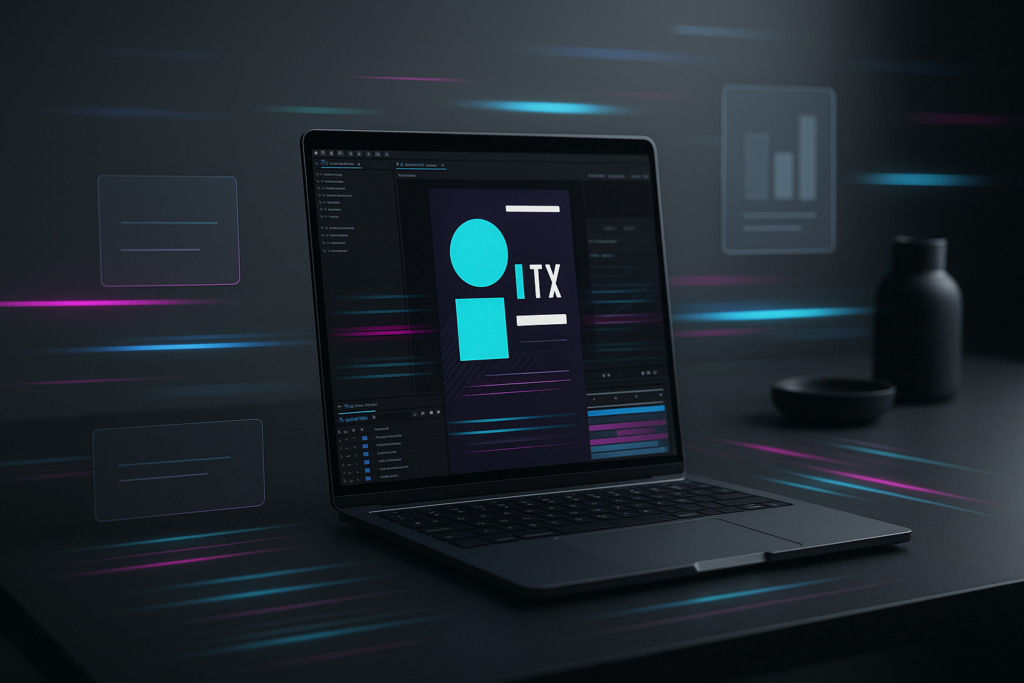
An After Effects template pack for YouTube Shorts is a curated bundle of ready-to-edit motion graphics projects-built specifically (or at least sensibly adapted) for vertical, fast-paced, thumb-stopping videos. In plain English: it’s a shortcut to polished intros, punchy titles, slick transitions, and on-brand graphics without animating everything from scratch. You drop in your footage, swap text, tweak colors, hit render, and your Short suddenly looks like it has a tiny production team behind it.
That matters because Shorts are a strange little arena: viewers decide in a blink whether to stay, and the platform rewards clarity, momentum, and visual rhythm. A good template pack helps you get there consistently-without turning every upload into a late-night keyframe marathon.
📋 Table of Contents
What is an After Effects Template Pack for YouTube Shorts?
Think of a template pack as a toolbox rather than a single project. Instead of one intro or one title style, you get a coordinated set of After Effects projects (often .aep files) or elements (like title comps, transition comps, overlays, and animated stickers) designed to be mixed and matched. The best packs are built with a coherent design language-fonts that play nicely together, color controls that keep you consistent, and animation timing that feels modern rather than… 2013.
For YouTube Shorts, the “template pack” concept becomes especially useful because vertical storytelling has its own rules. Your safe areas are different, your text must be readable on small screens, and your animation has to support the message instead of stealing the spotlight. A Shorts-friendly pack typically accounts for 9:16 framing, quick pacing, and minimal clutter-because you’re not designing a movie poster; you’re helping a viewer understand something in 15-60 seconds.
Why Use Templates for YouTube Shorts?
Because you’re competing with everything. Not just other creators-also group chats, breaking news, and the human impulse to scroll forever. Templates help you earn attention quickly by giving your content a visual “hook”: animated titles that land cleanly, kinetic typography that reinforces your punchline, or transitions that keep energy high between beats.
They also reduce decision fatigue. When you’ve already chosen a visual system (your title style, your lower thirds, your end card), you spend less time debating design and more time making content. The irony of modern creativity is that constraints can be freeing; a template pack gives you constraints that still look good.
Finally, templates are a practical bridge between “I can edit” and “I can do motion design.” After Effects is powerful, but it can be intimidating. Template packs let you learn by reverse-engineering: open the project, explore how the animation is built, and gradually steal-sorry, borrow-the techniques for your own custom work.
Browse After Effects templates for Shorts
How Templates Improve Video Production Speed
Speed is the quiet superpower of Shorts creators. The algorithm may love quality, but it also loves consistency, and consistency loves workflows. Template packs speed you up in a few concrete ways:
- Pre-built animation: No need to keyframe every text reveal, scale bounce, or motion blur pass.
- Centralized controls: Many modern templates use slider controls, color pickers, and essential properties so you can customize without digging through layers.
- Repeatable structure: When every Short starts with a similar hook title and ends with a similar CTA, you can assemble faster and maintain brand recognition.
- Fewer revisions: A proven design system reduces “something feels off” moments-especially if you’re not a trained designer.
In practice, a template pack can turn a two-hour motion graphics task into a ten-minute swap-and-export routine. That time difference compounds over weeks, and suddenly you’re producing more experiments-more chances to find what your audience actually likes.
Types of After Effects Template Packs for YouTube Shorts
Template packs come in flavors, and you don’t need all of them. The right mix depends on your content style: educational Shorts benefit from clean callouts and captions; comedy Shorts thrive on snappy text hits and reaction overlays; product Shorts often want sleek transitions and logo animations. Below are the most common (and most useful) categories.
One practical note: many packs are marketed broadly as “social media” templates. That’s fine, but you’ll want to confirm they include vertical compositions or can be adapted without painful cropping. A template that looks gorgeous in 16:9 can look cramped in 9:16 if it wasn’t designed with mobile in mind.
Animated Intros and Outros
Shorts intros should be… short. The goal isn’t to play a 6-second cinematic logo reveal while your viewer escapes. A good Shorts intro template is usually 0.3 to 1.5 seconds-just enough to establish tone and brand without delaying the point.
Outros are tricky, too. Many Shorts end abruptly, and that can work. But an outro template can help when you want a clean loop, a “watch part 2” prompt, or a subtle brand stamp. The best outro templates for Shorts are minimal: a quick end card with your handle, a compact subscribe cue, or a loop-friendly animation that doesn’t feel like a hard stop.
If you’re building a series (daily tips, “myth vs fact,” mini reviews), intros/outros become a recognizable wrapper. Viewers start to associate that wrapper with the value you deliver, and that recognition can increase repeat views-especially when your content shows up again in their feed.
Text and Title Animations
Text is the backbone of Shorts. Many viewers watch without sound, and even with sound, text helps comprehension. A strong template pack should include multiple title styles:
- Hook titles (big, immediate, high contrast)
- Step-by-step labels (Step 1, Step 2, etc.)
- Emphasis hits (single words that pop on beat)
- Caption-like blocks (readable, not cramped)
Look for typography that’s legible on small screens and animations that don’t smear or jitter after compression. The magic is when the motion supports meaning: a word “SNAPS” onto screen with a snap, a warning label shakes slightly, a “before/after” title slides like a wipe. It’s subtle psychology-your eyes believe what motion suggests.
Also: avoid title packs that rely on tiny thin fonts. They might look fashionable on a designer’s monitor, but on a phone in daylight, they become decorative dust.
Transitions and Effects
Transitions are the spice-useful, but you can ruin dinner if you dump the whole jar in. For Shorts, transitions work best when they hide a cut, change topic, or reset attention. Template packs often include:
- Swipe and push transitions
- Zooms and whip pans
- Glitch, RGB split, and distortion
- Light leaks and film burns
- Shape-based wipes
Choose transitions that match your niche. A finance explainer probably doesn’t need aggressive glitch every three seconds. A gaming montage might. A cooking Short might prefer clean wipes or quick zoom cuts that match the rhythm of chopping and plating.
One underrated feature in transition packs is adjustment layer transitions-effects you can apply over footage without complex precomps. They’re fast, flexible, and easier to keep consistent across different clips.
Lower Thirds and Graphics
Lower thirds aren’t just for documentaries. In Shorts, they’re useful for:
- Introducing a person (“Mina – Product Designer”)
- Labeling a tool or ingredient
- Adding context (“Day 12 of 30”)
- Displaying stats, prices, or quick disclaimers
Because Shorts are vertical, the “lower third” often becomes a “lower band” or a side tag-positioned to avoid UI elements and captions. A good template pack includes variations: left, right, centered, stacked, and minimal.
Graphics packs may also include icons, animated arrows, circles, highlights, and callout boxes. These are extremely effective in tutorials and reviews because they guide the eye. You’re not just showing; you’re directing attention like a stage spotlight.
What Features to Look for in After Effects Template Packs for YouTube Shorts
Not all template packs are created equal. Some are elegant and efficient; others are a beautiful mess of nested precomps and unnamed layers that make you question your life choices. The features below are the difference between “this saved me hours” and “I should have animated it myself.”
As you evaluate packs, remember your real goal: repeatable production. You want templates that behave predictably, render reliably, and remain editable months from now when you’re updating your style.
Customization Options
The best packs let you customize without performing surgery. Look for:
- Color controls (global palettes, accent colors, background toggles)
- Font controls (easy font swapping, size scaling, line spacing)
- Duration controls (extend animations without breaking timing)
- Layout variants (left/right alignment, single vs multi-line titles)
- Media placeholders (drop zones for photos/video with auto-fit)
A template pack that forces you to manually change 18 layers to update a color is not “premium,” it’s just stubborn. Ideally, you should be able to re-skin the pack to match your brand in one sitting, then reuse that style indefinitely.
Also consider whether the pack supports brand systems: multiple font weights, primary/secondary colors, and consistent corner radius or stroke styles. Those small details add up to a look that feels intentional rather than random.
Compatibility with After Effects Versions
After Effects templates can be surprisingly picky about versions, plugins, and expressions. Before you commit, check:
- The minimum After Effects version required (e.g., 2020, 2022, 2024).
- Whether it uses third-party plugins (some do; many don’t; both can be fine if you know upfront).
- Whether it relies on newer features like advanced 3D, particular text engines, or specific effects.
In 2026, plenty of creators are on current Creative Cloud versions, but teams and freelancers often inherit older project setups. A pack that works only on the newest build might be perfect for you-or a headache if you collaborate with others. Compatibility isn’t glamorous, but it’s the kind of detail that prevents last-minute production disasters.
If you’re working across apps, consider whether the templates can be exported as videos with alpha channels for use in other editors, or whether there are MOGRT equivalents for Premiere Pro. Even if you’re an After Effects-first person, flexibility helps when deadlines get tight.
Ease of Use and Documentation
“Easy to use” is often marketing fluff-until you see a template with clear controls, labeled comps, and a short PDF or video tutorial that actually answers questions. Strong documentation typically includes:
- Install/setup steps (fonts, plugins, where to put files)
- How to replace media and edit text
- How to adjust timing without breaking animations
- Export settings for vertical video
Some marketplaces also provide broader learning resources. For example, platforms like Motion Array don’t just sell templates-they also highlight categories like Templates, Presets, Audio, Plugins, Tools, and a Learn section with tutorials and troubleshooting. That ecosystem matters: when you’re stuck, you want a help center, not a dead download link and a prayer.
And yes, links can break. If you’ve ever clicked a template URL and been greeted with “The page you are looking for can’t be found,” you already understand why reputable platforms with a marketplace plus a help center are worth considering.
Mobile Optimization for Shorts
“Mobile optimization” isn’t just “it’s vertical.” It’s a set of design and technical choices that survive the Shorts environment:
- Safe area awareness: Avoiding key text where UI overlays may appear.
- Readable typography: Strong contrast, adequate size, sensible line length.
- Compression resilience: Clean edges, not too many tiny details that turn into mush.
- Fast motion that remains clear: Snappy, but not chaotic.
- Vertical-first composition: Elements arranged for tall screens, not repurposed from widescreen.
A great template pack will feel like it was designed by someone who actually watches Shorts on a phone, not someone who merely heard about vertical video in a meeting.
Also consider performance: heavy particle effects and complex 3D can slow previews and increase render times. If your workflow involves frequent iterations, lighter templates may outperform “cinematic” ones in real-world productivity.
How to Choose the Right After Effects Template Pack for Your YouTube Shorts
Choosing a template pack is less like buying a poster and more like choosing a wardrobe. You’re going to wear it repeatedly, and it will shape how people perceive you. The right pack should fit your content, your pace, and your production habits-not just look pretty on a preview page.
To make the decision easier, think in terms of three layers: style (does it match your brand?), practicality (will it work with your tools and skills?), and rights (can you legally use it the way you plan to?).
Matching Your Channel Style and Branding
Your Shorts should feel like they come from the same creator-even when topics vary. Template packs help establish that consistency, but only if the design language aligns with your channel’s identity. Ask yourself:
- Is your tone clean and educational, or energetic and comedic?
- Do you want minimalist motion, or bold, loud typography?
- Are your colors muted and premium, or bright and playful?
Then evaluate the pack through that lens. A neon glitch pack can be amazing, but if your channel is calm productivity tips, it may feel like you’re shouting in a library. Conversely, if you make high-energy sports edits, a subtle corporate title pack might look like it fell asleep.
One practical trick: take screenshots of 6-10 of your best-performing Shorts and place them side-by-side. What do they have in common visually? If your top content already has a pattern (text placement, color accents, pacing), choose a pack that strengthens that pattern rather than fighting it.
Considering Budget and Licensing
Budget isn’t just the purchase price. It’s also the time you’ll spend learning and adapting the templates, plus any recurring subscription fees. Some creators prefer a one-time purchase; others like subscriptions because they get a steady stream of new assets.
Licensing matters even more. You need to know:
- Can you use the templates for monetized YouTube content?
- Are there restrictions on client work or commercial projects?
- Does the license cover stock elements included in the template (music, footage, photos), or are those separate?
If you’re sourcing from marketplaces that also offer audio, stock video, and photos alongside templates (as Motion Array does), you may be able to keep licensing simpler by staying within one ecosystem. But always read the license terms-especially if you’re scaling into brand deals or agency work.
Also consider the hidden budget of fonts. Some templates require premium fonts. If the pack doesn’t include them (often it can’t), you may need to substitute or purchase licenses.
Checking Reviews and Ratings
Reviews are useful when you know what to look for. Five-star ratings are nice, but the real gold is in comments that mention:
- Whether the project is well-organized and labeled
- Render performance and stability
- Accuracy of the preview vs real output
- Support responsiveness (if offered)
If you can, watch user-made examples. Some creators post breakdowns showing how they used a pack in actual Shorts. That’s far more informative than a perfectly curated promo video.
And pay attention to the “gotchas” people mention: missing fonts, heavy plugins, confusing controls, or templates that don’t actually include 9:16 comps. Those issues can turn a bargain into a time sink.
Where to Find After Effects Template Packs for YouTube Shorts
Template packs live everywhere now: big marketplaces, subscription libraries, independent creators’ stores, and even free repositories. The best source depends on your priorities-variety, quality control, licensing clarity, or budget.
It’s also worth choosing a source with reliable navigation and support. A marketplace that pairs its library with a help center and tutorials can save you when you hit a technical snag at 11:47 p.m. on upload day.
Popular Marketplaces and Platforms
Large marketplaces typically offer the widest selection and the most consistent purchasing experience. One example from the broader ecosystem is Motion Array, which positions itself as more than a template shelf. Its categories span Adobe After Effects templates, presets, audio (royalty-free music and sound effects), stock video footage, stock photos, and even plugins and tools. It also highlights learning resources-tutorials, news, and troubleshooting-across multiple editing platforms including After Effects, Premiere Pro, DaVinci Resolve, and Final Cut Pro.
That breadth is handy when you’re building a Shorts workflow. You might grab a title pack, then pair it with sound effects and a few overlays, all from the same place. And if something goes wrong, reputable platforms tend to provide a Help Center and Contact Us options-small details that matter when you’re on a deadline.
Other places to look include creator-focused storefronts and communities. Independent designers often sell niche packs-like “minimalist captions for educators” or “meme-style kinetic text”-that can feel more tailored than generic mega-bundles.
Free vs. Paid Template Packs
Free packs can be great for experimenting, learning After Effects, or launching a channel with zero budget. But “free” often comes with trade-offs: limited customization, older design trends, unclear licensing, or messy project organization.
Paid packs tend to offer better polish and time savings. You’re often paying for:
- Cleaner animation curves and timing
- Better typography and spacing
- More variants (multiple title styles, multiple transitions)
- Controls that make customization fast
- Documentation and support
One practical approach is a hybrid workflow: use a paid pack as your “core identity” (titles, lower thirds, brand colors), then supplement with occasional free elements for variety-while keeping your brand system consistent.
Whatever you choose, confirm the license allows YouTube monetization and commercial use if you plan to earn from your Shorts. If the licensing language is vague, that’s a signal to keep looking.
Should You Invest in After Effects Template Packs for YouTube Shorts?
If you publish Shorts regularly, investing in template packs is often worth it-not because templates magically make content good, but because they remove friction from the production process. When production is easier, you iterate more. When you iterate more, you learn faster. And when you learn faster, you improve the only thing that truly matters: your ability to deliver value (or entertainment) in seconds.
That said, investment should be intentional. A template pack is not a substitute for a strong hook, clear story, or decent audio. It’s a multiplier: it amplifies what’s already there.
Benefits Versus Costs
On the benefits side, template packs can give you:
- Production consistency (a recognizable look across uploads)
- Higher perceived quality (polish that builds trust quickly)
- Faster turnaround (more Shorts per week without burnout)
- Creative momentum (less time stuck on design decisions)
On the cost side, consider:
- Upfront price (or ongoing subscription fees)
- Learning curve (even “easy” templates require setup)
- Render time (heavy effects can slow you down)
- Risk of sameness (if everyone uses the same pack)
The tipping point usually comes when you’re posting consistently and you can measure the value of your time. If a $40-$80 pack saves you two hours per week, it pays for itself quickly-especially if those hours go into scripting better hooks or filming better footage.
But if you post once a month and enjoy hand-animating everything, a template pack may feel like buying a treadmill when you already love walking outside.
See a YouTube-style widget template in After Effects
Scaling Your Content Creation
Scaling Shorts is less about making one perfect video and more about building a system that can produce many good videos. Template packs help you scale in a few strategic ways:
- Batch production: Create 10 Shorts, apply the same title/lower-third system, export in a consistent style.
- Delegation: If you hire an editor, templates give them guardrails. They can stay on-brand without guessing.
- Series formatting: A repeatable structure (intro tag, hook title, step labels, CTA) makes series easier to produce and easier to recognize.
Scaling also means surviving growth. When your channel gets attention, expectations rise. Viewers don’t necessarily demand Hollywood-but they do notice when your visuals become inconsistent. Templates help you maintain quality while your content volume increases.
And if you’re expanding beyond YouTube-posting the same vertical edits to Instagram Reels or TikTok-templates can become a cross-platform brand system. You’re not just editing; you’re building a recognizable identity.
How After Effects Template Packs Enhance YouTube Shorts Engagement
Engagement on Shorts isn’t only likes and comments. It’s retention, replays, and that quiet but powerful behavior: the viewer doesn’t swipe away. Template packs can improve engagement by shaping how information is revealed, how attention is guided, and how your content feels as a whole.
But engagement boosts don’t come from “more effects.” They come from better communication. A template pack is useful when it clarifies your message, reinforces your pacing, and makes your content feel easy to follow.
Increasing Viewer Retention with Visual Appeal
Retention is a game of micro-decisions. Every second, your viewer decides whether to keep watching. Motion graphics can help by:
- Signposting what’s coming (“3 quick tips,” “Watch the end,” “Before/After”)
- Reducing cognitive load (clear labels, clean typography, guided focus)
- Maintaining rhythm (text hits aligned to cuts or beats)
For example, a well-timed title animation at the 0-1 second mark can lock in attention. A step label at 5 seconds can prevent confusion. A subtle callout arrow can keep the viewer’s eyes on the important part of the frame.
Visual appeal also signals effort. People are more likely to trust and follow creators whose content looks deliberate. You don’t need extravagant effects; you need coherence-like a well-designed book cover that makes you assume the pages inside are worth reading.
Establishing Consistent Branding
Branding in Shorts is not about plastering your logo everywhere. It’s about building familiarity through repeated visual cues: consistent colors, consistent typography, consistent motion style. Template packs help you do that without reinventing the wheel every time.
Consistency matters because Shorts are often discovered out of context. A viewer might see one clip, then another two days later, then another a week later. If your visuals feel connected, you become recognizable. Recognizable creators get more follows because the viewer’s brain says, “Oh, it’s that person again.”
A strong template system also makes collaborations easier. If you do guest appearances or co-create with other channels, you can maintain your identity while still adapting to the collaboration’s tone.
Saving Time on Video Editing
Time saved isn’t just a productivity metric-it’s an engagement strategy. When you spend less time rebuilding motion graphics, you can spend more time on the elements that directly affect engagement:
- Writing a stronger first line
- Improving audio clarity
- Testing different hooks and pacing
- Filming better B-roll
- Creating more versions to see what performs
Templates reduce the “editing tax” that makes creators inconsistent. And consistency is one of the most reliable ways to improve Shorts performance over time-because each upload is a new data point, a new chance to learn what your audience responds to.
In other words: templates don’t just save time; they buy you experiments. And experiments buy you growth.
Tips to Maximize the Impact of After Effects Template Packs on Your YouTube Shorts
Buying a template pack is easy. Using it well is where the craft lives. The goal is to make templates feel like your style, not like you borrowed someone else’s wardrobe and forgot to remove the price tag.
Below are practical, field-tested ways to get the most out of a pack-especially if you’re publishing frequently and want your Shorts to look consistent without looking copy-pasted.
How to Customize Templates Effectively
Start with a deliberate “brand setup” session. Instead of customizing each Short from scratch, create a master version of the template pack that matches your identity:
- Choose 2-3 brand colors: one primary, one accent, one neutral. Apply them consistently.
- Pick one font family: ideally with multiple weights (Regular, Bold). Swap the template fonts once and stick with it.
- Set your text rules: max words per title line, preferred placement (top third, center, etc.), and line spacing.
- Tune animation speed: Shorts often benefit from slightly faster reveals than standard social videos.
Then build a small library of your most-used elements: “Hook Title 01,” “Step Label,” “CTA End Tag,” “Price Callout,” and so on. Save them as separate comps or project files you can import into new edits.
Also: customize with restraint. One or two signature touches-a particular easing style, a recurring shape motif, a consistent shadow-can be more memorable than a chaotic mix of effects.
If you want to go further, create a simple style guide for yourself (or your editor): font sizes for headings vs captions, safe margins, and when to use which animation. This turns your template pack into a real production system.
Combining Templates with Original Footage
The most effective Shorts use templates as supporting actors, not the main character. Your footage, your voice, your idea-that’s the story. Templates should enhance clarity and pacing.
Here are a few ways to blend templates with footage so it feels natural:
- Match motion to camera movement: If your footage pans right, use transitions that flow right.
- Use callouts to guide attention: Highlight the product, the UI element, the ingredient-whatever matters.
- Let text “land” on beats: Align key words with cuts, gestures, or music hits.
- Keep the frame breathable: Vertical video gets cluttered fast. Leave negative space.
If your footage is busy (street scenes, crowded backgrounds), choose simpler templates with strong contrast. If your footage is minimal (talking head against a plain wall), you can afford slightly more graphic energy without overwhelming the viewer.
And remember: you can pre-render certain template elements with alpha channels (transparent backgrounds) and reuse them across editing tools. That flexibility is handy when your workflow includes multiple apps or when you want to speed up assembly in a non-AE timeline.
Common Mistakes to Avoid When Using After Effects Template Packs for YouTube Shorts
Templates are powerful, but they have a dark side: they can make your content look generic, slow, or visually noisy if used without intention. Avoiding a few common mistakes will keep your Shorts feeling sharp and personal-while still enjoying the speed benefits.
Most template mistakes come from one of two causes: too much (overdesign) or not enough checking (technical issues). Both are fixable.
Overusing Templates and Losing Originality
The fastest way to look like everyone else is to use a template pack exactly as it ships-default colors, default fonts, default timing-especially if it’s a popular pack. Viewers may not consciously identify it, but they’ll feel the sameness.
To avoid this:
- Re-skin the pack (colors + fonts) so it’s unmistakably yours.
- Use templates selectively-don’t animate every sentence.
- Develop one signature motion behavior (a specific bounce, a swipe, a highlight style).
- Mix in original elements: a hand-drawn arrow, a custom icon, a unique background texture.
Originality in Shorts often comes from ideas and personality, not from inventing new motion graphics. But your visuals should at least feel like they belong to you, not to a demo reel.
Also beware of “template stacking”: intro + transition + title + sticker + lower third + glitch overlay + end card. That’s not design; that’s a yard sale.
Ignoring Template Compatibility
Compatibility issues can derail a production day. Common pitfalls include missing fonts, missing plugins, and templates built for a different After Effects version than yours.
Before committing to a pack, do a quick compatibility checklist:
- Confirm the required After Effects version.
- Check for plugin dependencies.
- Download and install required fonts (or plan substitutions).
- Test render a short segment before building a full Short around it.
If you’re sourcing from large platforms, look for those that provide a help center and troubleshooting resources. Marketplaces that maintain categories across multiple editing tools (After Effects, Premiere Pro, DaVinci Resolve, Final Cut Pro) often have better support infrastructure because they expect users to need guidance.
And if a link goes dead-yes, it happens-prefer platforms with stable navigation (homepage, marketplace, help center) so you can find alternatives quickly rather than losing your momentum.
Neglecting Video Format Requirements for Shorts
This one is surprisingly common: a creator uses a gorgeous template, exports, uploads… and the text is cropped, the graphics sit under the UI, or the whole thing looks oddly soft. Shorts have format realities you can’t ignore.
Key requirements and best practices:
- Aspect ratio: 9:16 is the standard for Shorts.
- Resolution: 1080×1920 is a common baseline; higher can be fine, but watch file size and render time.
- Safe areas: Keep critical text away from edges and likely UI overlays.
- Text size: Bigger than you think; test on a phone, not just your monitor.
- Compression: Avoid ultra-fine lines and tiny details that will break apart after upload.
Also consider pacing. A template animation that feels smooth in a 30-second ad might feel sluggish in a 12-second Short. Don’t be afraid to speed up animation timings and simplify where needed. Shorts reward clarity and momentum.
Finally, always preview your export on an actual phone. Your desktop preview is a polite liar; mobile playback is the truth.
Conclusion
Once you’ve chosen a template pack and built a workflow around it, you can push beyond “nice graphics” into something more interesting: designing your channel’s visual language over time. Treat your templates as a living system. Every few months, refresh one element-maybe your hook title style, maybe your end tag-so your brand evolves without becoming unrecognizable. That gentle evolution keeps your Shorts feeling current while preserving the familiarity that helps viewers remember you.
It’s also worth thinking about how templates interact with the broader creative ecosystem. Many creators pair After Effects packs with sound design (little whooshes, taps, risers) and stock elements to build a signature feel. Platforms that offer not only templates but also audio, stock video, photos, and learning resources can make that process smoother-especially when you’re experimenting with new formats or troubleshooting a stubborn project. In 2026, the advantage often goes to creators who can iterate quickly and keep quality steady; a well-chosen After Effects template pack is one of the simplest ways to do both-without turning your creative life into a permanent render queue.