Social media animation trends in 2026 are moving toward slick, minimal, and highly watchable motion that feels native to every platform. For editors and motion designers, this is less about flashy tricks and more about smart systems, modular templates, and a workflow that can handle non‑stop content demands worldwide.Browse social packs
📋 Table of Contents
What social media animation trends 2026 really means
Social media animation trends 2026 describes how motion design is evolving across Reels, TikTok, YouTube Shorts, stories, and feed posts. It is not just about a few popular effects – it is about the rhythm, pacing, layout, and visual language that makes content feel current.
For editors and motion designers in Adobe After Effects, these trends matter because platforms reward content that keeps people watching. That means clear hierarchy, fast storytelling, and motion that feels intentional, not random. Algorithms change, but good animation systems keep your content flexible.
Who these trends are for
- Video editors who cut social content but want to add on-brand motion without starting from scratch each time.
- Motion designers building reusable systems for agencies, brands, or creators.
- Content creators who need scroll-stopping visuals but do not have time to design new graphics for every post.
- Marketing teams working with recurring formats like weekly promos, product drops, and event recaps.
Key pillars of 2026 social animation
- Native-format design – animations built specifically for vertical and square layouts, not just cropped from 16:9.
- Data-aware visuals – widgets and UI-style elements that mirror real apps, dashboards, and notifications.
- Minimal but expressive motion – clean typography, simple shapes, and subtle animation that feels modern and premium.
- Repeatable systems – templates, animation presets, and reusable comps that keep series content consistent.
Understanding these fundamentals makes it easier to decide when to build custom animation in After Effects and when to rely on prebuilt systems like an Unlimited After Effects Templates Subscription to stay on trend without burning out.
Reels animation trends and short-form styles for 2026
Reels animation trends are tightly connected to how people swipe: ultra-quick decisions, silent autoplay, and vertical-first framing. The best-performing 2026 styles mix very clear typography, bold shapes, and micro-animations that communicate in under two seconds.
Core reels animation trends for 2026
- UI-inspired overlays – finance, maps, chat bubbles, and app-like widgets layered over footage. Think of builds similar to a sleek digital card and balance animation but adapted to your brand.
- Lyric and caption videos – kinetic text synced to voiceover or music, as seen in stylized projects similar to music lyric animations.
- Notification-style callouts – subtle pop-ins that look like messages, followers gained, or payments received, used as storytelling beats.
- Hybrid camera plus motion graphics – live action with minimal lower thirds, stats, and arrows instead of fully graphic-only edits.
Short-form formats that benefit most from templates
- Series intros – recurring hooks for “tips of the week” or “product of the day.”
- Data or dashboard stories – app walk-throughs, finance breakdowns, or map/location explainers with animated UI widgets similar to a location pin overlay.
- Music-driven clips – kinetic text or lyric snippets that sync tightly to beats.
- Product showcases – quick, looping shots with animated price tags, badges, and feature callouts.
Matching trends to intent
- For awareness: bold titles, quick logo or product reveals, and strong first-frame composition.
- For education: step-by-step text animations, number counters, and pointer graphics.
- For community content: playful widgets, polls, or interactive-looking overlays.
As you explore different short-form platforms, aim to build a small library of reusable social templates that can adapt to trending sounds, topics, and formats without rebuilding every title or transition from the ground up.
Common After Effects mistakes that break trendy social animations
Even with strong ideas, certain After Effects habits can make your social animations feel dated or hard to manage over time. Fixing these workflow issues is essential before you scale content production.
Timing and pacing issues
- Animations that take too long to start, losing viewers in the first second.
- Keyframes spaced evenly instead of using eased, punchy motion in and out.
- Text and graphics lingering on screen after the message is clear.
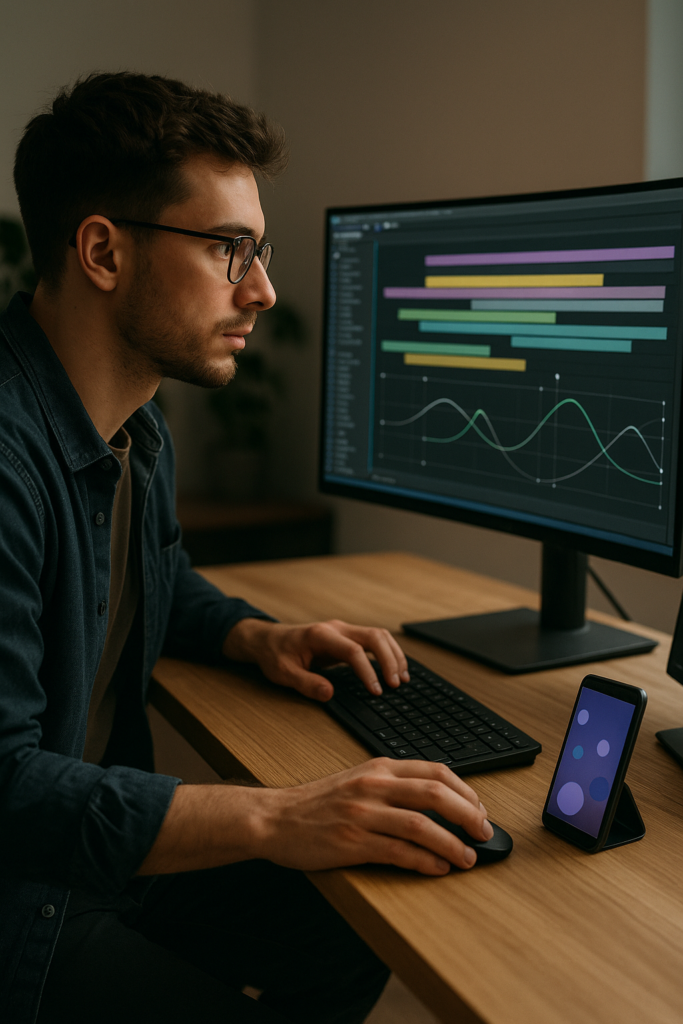
Graph Editor misuse
- Over-exaggerated curves causing awkward, floaty movement.
- Copy-pasting the same easing on every property, making motion feel generic.
- Ignoring speed vs value graphs, so changes in scale, position, and rotation do not align.
Messy comps and bad precomps
- Piling all layers into a single main comp, making quick revisions painful.
- Precomposing too aggressively, hiding simple tweaks inside deeply nested timelines.
- Unnamed layers and comps, so nobody can hand over the project cleanly.
Performance bottlenecks
- Using heavy effects when simple shape layers would work.
- Huge comps (4K) for social formats that will only be seen on phones.
- No use of proxies, region of interest, or smart preview settings.
Inconsistent style and branding
- Different fonts and colors across videos in the same series.
- Random easing and motion blur settings, breaking visual continuity.
- One-off styles with no reusable system for future content.
Checklist to avoid these problems
- Define timing rules (e.g., main headline animates in under 12 frames).
- Use color labels for categories of layers (titles, overlays, backgrounds).
- Create shared precomps for typography and transitions you reuse often.
- Test animations on a phone screen to confirm legibility and speed.
Solving these core issues first makes it much easier to adopt newer 2026 trends without sacrificing stability or editability in your projects.
Choosing the right style and tools for different social edits
Different types of social videos call for different animation strategies. A cinematic brand teaser, a daily Reels tip, and a UI walkthrough should not look or move the same way. The right choice saves editing time and keeps your feed visually coherent.
Social reels and TikTok clips
- Use bold, legible titles that land in the center-safe area.
- Keep transitions ultra-fast – wipes, cuts, or slide-ins that support the audio rhythm.
- Rely on reusable typography and overlay systems rather than bespoke, complex scenes for every clip.
Paid ads and promos
- Focus on clarity: benefit-driven text, simple backgrounds, and strong product framing.
- Use consistent lower thirds, price tags, and CTA buttons across variations.
- Test multiple motion speeds to see what performs best under 15 seconds.
YouTube and longer-form content
- Build modular graphic packages: openers, chapter cards, lower thirds, and end screens.
- Use subtle transitions to support editing rather than distract.
- Keep motion language consistent across thumbnails, titles, and in-video graphics.
When templates make the most sense
If you are producing recurring series, client deliverables, or multi-language versions, relying on a well-structured template library is often faster and more consistent than starting from scratch. A curated or Unlimited After Effects Templates Subscription can give you:
- A base style that you customize once and then reuse across formats.
- Pre-animated transitions and widgets for finance, maps, social stats, or notifications.
- Faster A/B testing: swap colors, fonts, and copy while the core motion stays aligned with 2026 trends.
Staying aligned with platform behavior
Animation trends follow platform shifts – for example, audio-driven hooks, rapid cuts, and native captioning. Checking resources like Later social media insights can help you sense when formats or viewer expectations change, so you can adjust the pacing, framing, and motion intensity of your templates accordingly.
Building a 2026-ready template workflow in After Effects
To keep up with social media animation trends 2026, you need more than good ideas – you need a reliable After Effects system. That means templates that are easy to update, fast to render, and flexible enough for many formats and clients.
Start with version compatibility and project settings
- Choose templates compatible with your After Effects version to avoid missing effects or expressions.
- Set standard compositions for social: 1080×1920 at 23.976 or 25 fps for vertical, 1080×1080 or 1920×1920 for square.
- Lock in color management and bit depth before you start duplicating comps.
Organize keyframes, precomps, and naming
- Group related elements into precomps (e.g., “Main Title,” “Subtitles,” “Background Widgets”).
- Name layers clearly: include function and state, like “BTN_CTA_Hover” or “Title_Main_In.”
- Use color labels to differentiate text, controls, and background elements.
- If you are using UI-style graphics like a finance or map overlay, keep the UI panel in its own precomp so you can reuse it across multiple edits.
Performance tips for heavy social timelines
- Work at 1/2 or 1/4 resolution while designing; switch to Full only for final checks.
- Use region of interest when adjusting details in small areas of the frame.
- Cache work areas and use proxies for heavy footage or 3D renders.
- Avoid stacking unnecessary blurs, glows, or grain when a single, tuned effect will do.
Manage plugin dependencies
- Before committing to a template, confirm whether it needs third-party plugins.
- Prefer versions that rely on native effects where possible, especially when sharing projects with teams.
- If a plugin is required, document the version and settings so your future self – or collaborators – can reproduce the look.
Efficient customization workflow
- Create a single Control comp or layer with key colors, logo variations, and typography styles.
- Use expression links or pick-whip to drive multiple elements from a few master controls.
- Standardize animation durations: e.g., all title ins at 10–12 frames, transitions at 4–6 frames, so clips feel cohesive.
- Save frequently used setups as reusable project files or template collections for different clients or series.
Use cases for different social formats
- Reels and Shorts – snappy title templates, quick stat widgets, and kinetic text for quotes or lyrics.
- Ads – clean product cards, price tags, timeline-based feature highlights.
- Product promos – vertical layouts that focus on one hero feature per scene with subtle transitions.
- Cinematic edits – slower, more refined transitions and lower thirds, with more room for footage.
Practical build order
- First, define the main type style and CTA treatment.
- Next, build or adjust two to three transitions that match that style.
- Then, create reusable blocks: intro, middle info card, and end card.
- Finally, test with a full 30–60 second piece before rolling out the look to a series.
A solid template workflow lets you respond quickly when clients ask for fresh 2026-inspired looks while still keeping your projects clean, scalable, and easy to adjust later.
Advanced systems and long-term optimization
Once your base workflow is stable, you can push into more advanced systems that keep reels animation trends and other formats consistent across dozens or hundreds of videos.
Build reusable animation systems
- Design a core motion language: how titles enter, how elements exit, and how overlays respond to beats.
- Create modular animation “blocks” in separate comps, then assemble them like Lego pieces in the main edit.
- Store frequently used systems in a master project file so you can import them into new jobs.
Use styleframes and references
- Before animating, lock in static frames for intro, mid-section, and outro layouts.
- Reference your own previous series to maintain continuity instead of chasing every micro trend.
- Keep a small library of reference clips that capture your preferred pacing and rhythm.
Quality control for social delivery
- Check safe areas for vertical, square, and horizontal formats to avoid cropped text.
- Render short preview exports and test them on real phones for readability.
- Verify color and exposure on both light and dark mode device settings when possible.
Export and render queue basics
- Set up export presets for common social specs (vertical H.264, square, and horizontal).
- Name renders clearly and version them logically: project_client_platform_date.
- Use Adobe Media Encoder for batch exports when preparing multiple aspect ratios.
Dynamic link and lightweight projects
- Use dynamic link only when necessary; for heavy social batches, render intermediate files to keep timelines responsive.
- Regularly clean unused comps, layers, and assets from your project.
- Archive completed social packages with clearly labeled folders for assets, renders, and project files.
By treating your motion design as a system rather than individual one-off clips, you can apply emerging 2026 social media animation trends with far less effort and significantly more consistency across platforms.
Common search intents around 2026 social animation
Editors and motion designers often search for very specific guidance when planning social content. Addressing these questions helps refine your strategy and toolset.
- “What are the biggest social media animation trends 2026 for brands?” – Clean, typography-led vertical layouts, subtle UI overlays, and repeatable series formats that fit Reels, TikTok, and Shorts.
- “How do I make reels animations that look premium without huge budgets?” – Focus on clear type, consistent motion systems, and well-structured templates rather than complex 3D or heavy plugins.
- “What vertical video settings should I use in After Effects?” – 1080×1920, 23.976 or 25 fps, with your core motion timed to land key information within the first second.
- “How do I keep social animation projects organized?” – Name comps logically, group recurring elements in precomps, color-label layers, and separate each content format (intro, lower third, CTA) into its own folder.
- “Do I need unique animations for every platform?” – No, but you do need platform-aware crops, lengths, and hook pacing. A base style can be adjusted per platform while preserving your core motion identity.
- “How can I animate UI or widgets quickly?” – Build or adapt reusable panels, progress bars, and notifications once, then swap text and icons instead of rebuilding the motion each time.
Clarifying what you are actually looking for – trends, presets, specs, or workflow tips – makes it much easier to choose the right templates, project settings, and animation systems for your daily work.
Bringing 2026 social trends into your daily workflow
Social media animation trends 2026 are ultimately about clarity, speed, and repeatability. When your After Effects projects are organized around solid templates, smart precomps, and clear motion rules, keeping up with reels animation trends becomes manageable instead of overwhelming.
Start by tightening your timing and hierarchy, then develop a small but powerful library of vertical layouts, titles, and UI overlays that you can reuse across Reels, ads, and YouTube. From there, refine your systems: export presets, naming conventions, and modular comps that scale as your workload grows.
With a consistent, template-driven approach, you can deliver cleaner motion, faster turnarounds, and more on-brand social content for clients worldwide – all while staying aligned with how audiences will watch and interact with content in 2026.
Conclusions
Treat 2026 social animation as a system, not a trend chase. With clean templates, disciplined timelines, and clear motion rules, you can ship more vertical content, keep brands visually consistent, and adapt quickly as platforms evolve.
FAQ
What defines social media animation trends in 2026?
Trends focus on vertical-first layouts, clean typography, subtle UI overlays, and fast, intentional motion that communicates clearly within the first second.
How important are templates for reels animation trends?
Templates are key for reels because they keep pacing, branding, and layout consistent while letting you quickly swap footage, text, and colors for new posts.
Which After Effects settings work best for vertical social video?
Use 1080×1920 compositions at 23.976 or 25 fps, keep safe margins for UI overlays, and design with phone screens in mind for readability and impact.
Do I need third-party plugins to follow 2026 animation trends?
No. Many 2026-friendly looks rely on native shape layers, text animators, and simple effects. Plugins can help but are not required for strong social motion.
How can I keep social animation projects organized for teams?
Use clear comp and layer names, consistent color labels, shared precomps for titles and transitions, and documented export presets for each platform.
How often should I update my social animation style?
Refine your core style once or twice a year, then make smaller adjustments to pacing, overlays, and typography as platforms and audience behavior shift.