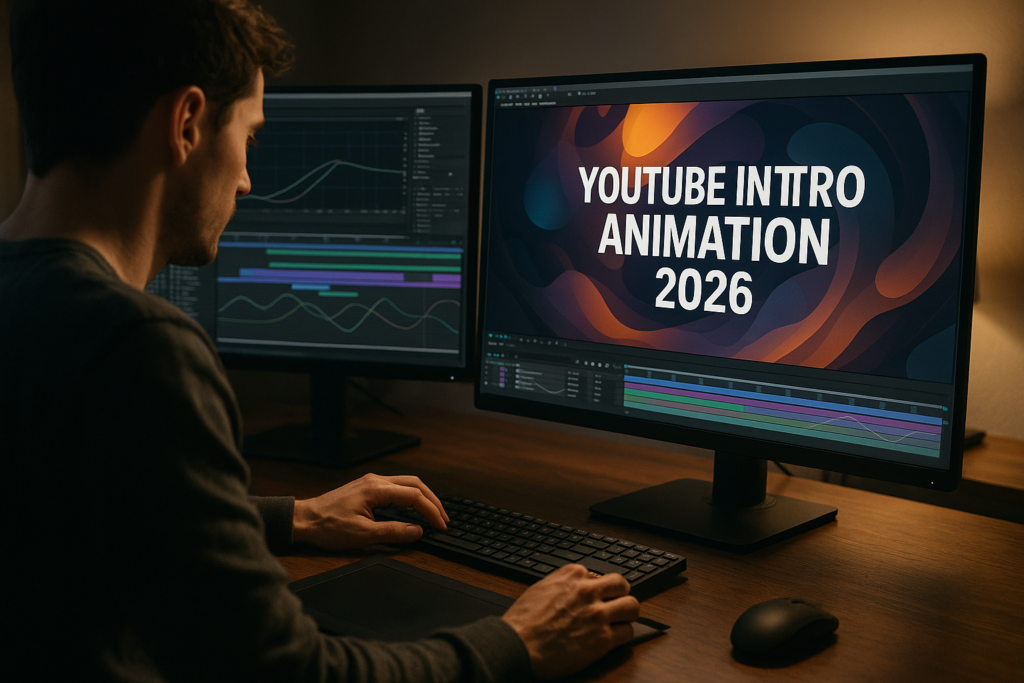
YouTube intros in 2026 are short, smart, and ruthlessly on-brand. Editors and motion designers need quicker ways to produce slick openers that work across shorts, streams, and long-form videos. This guide breaks down intro trends AE workflows, template decisions, and practical checklists so you can ship more polished edits with less friction.Browse AE intro plans
📋 Table of Contents
What YouTube intro animation 2026 really means
YouTube intro animation 2026 is all about hyper-efficient branding that feels native to how people watch video now. Instead of 15-second logo reveals, creators lean into minimal, punchy identity moments that support the first hook instead of delaying it.
For editors and motion designers, that means building intro systems more than one-off animations. An intro in 2026 is usually:
- 2–5 seconds long, often even shorter for shorts.
- Designed to work vertically, horizontally, and square.
- Modular enough to adjust colors, copy, or layout without reanimating from scratch.
- Optimized for mobile, where most viewers scrub or double-tap through dead time.
It matters because viewer patience is at an all-time low. The first seconds must establish brand, tone, and value without breaking momentum. Strong intros improve retention, which feeds into recommendations and revenue for creators who follow the guidelines from platforms like YouTube’s official creator resources.
This topic is relevant for:
- Editors who need consistent intros across many channels or series.
- Motion designers who design flexible packages for agencies and creators.
- Solo creators who want a recognizable identity without learning every AE trick from scratch.
Understanding the fundamentals sets up every decision that follows: whether you build from scratch in After Effects, rely on templates, or mix both for speed and control.
Intro trends AE styles dominating 2026
Intro trends AE creators follow in 2026 are shaped by short-form habits, UI aesthetics, and music-driven motion. YouTube intros feel less like traditional “openers” and more like fluid transitions into the story.
Core intro trends AE editors should track
- Micro-intros – 1–2 seconds, often a quick logo blip, kinetic typography, or UI-style pop-in that sits on top of the opening shot rather than cutting away.
- Diegetic intros – Intro elements that feel like part of the scene (a floating UI card, a phone notification, a map pin) instead of a full-screen logo splash.
- UI and widget aesthetics – Panels, cards, and app-inspired elements built in AE, similar to a clean YouTube-style widget interface that can frame the channel name or episode title.
- Music-reactive motion – Subtle scale, glow, or mask animations that hit key beats without turning into a full audio-reactive template that slows renders.
- Texture and glass trends – Soft gradients, glassy blur, subtle noise, and glow, in the spirit of modern OS interfaces and liquid-style overlays.
Popular intro variations by content type
- Educational channels – Clean lower-third or card-based intros with quick brand mark, episode number, and bold topic line.
- Gaming and music – Punchier motion, glitch or light sweeps, often inspired by lyric widgets similar in energy to a compact rap lyrics-style animation.
- Tech and fintech – Minimalist UI, card stacks, simple graphs, and bold typography that echo sleek dashboards, close to designs used in a clean financial overlay animation.
How intros differ across formats
- Long-form videos – 3–5 seconds max, often integrated after an immediate cold open.
- Shorts and Reels – Branding woven into the first shot as a frame, sticker, or animated tag to avoid drop-off.
- Streams and VODs – More room for 5–7 seconds when combined with music and chat overlays, as long as the animation still feels fast.
Intro trends AE workflows lean on reusable comps and template-ready systems that can adapt to new seasons, sponsors, or series while keeping rendering light and editing flexible.
Common After Effects mistakes that ruin intros
Even experienced AE users run into patterns that quietly hurt intros. Knowing what to avoid is as important as learning new trends.
Timing and pacing issues
- Intros that take 2–3 seconds before anything appears on screen.
- Overlong logo wipes that feel like an ad before the content.
- Animations that ignore the beat or rhythm of the music edit.
How to avoid
- Start with static layout, then time major beats to audio markers.
- Ensure a recognizable brand element is visible within the first 10–15 frames.
- Trim excess anticipation or overshoot; intros must land fast.
Graph Editor misuse
- Linear keyframes everywhere, resulting in robotic motion.
- Extreme ease curves causing unnatural overshoot or sluggish starts.
Fixes
- Use simple ease-in/ease-out for UI-style motion.
- Check motion paths in the Graph Editor; keep curves clean and intentional.
- Keep velocity consistent across elements that move together.
Messy comps and naming
- Layers called “Shape Layer 43” and “Precomp 12” that no one can decode.
- All sequences jammed into one master comp with no hierarchy.
Better habits
- Name comps by purpose: “Intro_Main”, “Logo_Anim”, “Title_Card”.
- Separate timing logic from design comps to update visuals without breaking timing.
Heavy plugins and slow previews
- Stacking glow, blur, and distortion plugins on every layer.
- Relying on third-party effects for simple moves that native tools handle fine.
Performance-first approach
- Use precomps to apply effects once to grouped layers.
- Turn off motion blur or complex effects while blocking timing.
- Test lightweight looks first; add detail only where viewers will notice.
Bad motion blur and aliasing
- Motion blur switched on for everything, causing mushy edges.
- No motion blur at all, even on fast UI swipes or logo pops.
Balanced blur
- Enable motion blur only for elements actually moving fast.
- Check edges on different background colors to avoid halo artifacts.
Treat each intro as part of a bigger system. If your project setup is fragile or slow on one opener, it will be a nightmare to maintain for a full upload schedule.
Choosing the right intro style for each project
Once you understand trends and pitfalls, the next step is deciding what kind of intro fits each channel, series, and platform. A one-size animation rarely works for every edit.
For educational and tutorial channels
- Use fast lower-third or title-card intros that drop the topic line clearly.
- Reserve the full-screen logo for series breaks or occasional brand moments.
- Consider a minimal card that slides up over the opening shot.
For short-form content and vertical feeds
- Weave branding into the shot: a small animated logo in a corner, or a UI card sliding in and out.
- Avoid hard cuts to black; keep motion connected to the first frame.
- Design intros to work with muted autoplay; rely on readable typography and shapes.
For cinematic or storytelling channels
- Intro can breathe a bit more, but still under 5 seconds.
- Think in terms of a short title sequence that supports mood, not just logo.
- Consider using light leaks, depth-of-field-style blur, and restrained typography.
For brands, agencies, and sponsors
- Build modular templates that can swap brand colors, logos, and CTA lines.
- Keep intro animation language consistent with the rest of the deliverables.
- Structure comps so non-motion teammates can update text safely.
Where templates and subscriptions fit in
When you manage multiple channels or upload frequently, designing every intro from scratch is rarely sustainable. A high-quality Unlimited After Effects Templates Subscription can give you:
- A starting point for UI widgets, lower-thirds, and cards already animated with modern curves.
- Consistent visual language across intros, transitions, and overlays.
- Faster delivery times when schedules and client revisions get tight.
Balancing custom work and templates
- Use templates as structural foundations, then customize colors, typography, and transitions for each brand.
- Save your deep custom animation time for special episodes or major campaigns.
- Standardize series intros so recurring segments always look and feel the same.
As platforms evolve, style decisions become less about design taste and more about what reliably maintains watch time and fits into an efficient AE workflow for you and your team.Compare intro-ready plans
Practical After Effects template workflow for intros
A strong YouTube intro animation 2026 workflow blends solid AE fundamentals with smart use of templates. Think of each template as a system you adapt, not a one-off preset.
Project setup and compatibility
- Check the required After Effects version; open in a matching or newer version.
- Match project frame rate to your sequence (commonly 23.976, 24, 25, or 30 fps) before you start retiming.
- Set resolution based on deliverables: 1080p for most, 1440p or 4K for premium or heavily reframed content.
Organizing precomps and naming
- Rename main comps to reflect use: “Intro_YT_Long”, “Intro_Short_Vertical”.
- Group visual styles or widgets in labeled folders, similar to how a collection like editing widgets might be separated by function.
- Create a dedicated “Brand_Controls” precomp for colors, logos, and fonts when the template supports it.
Keyframe and timing workflow
- Block out the timing first with very simple shapes or disabled effects.
- Use markers to tag key beats: logo on, tagline on, transition out.
- Align motion to your audio bed by placing reference peaks under important reveals.
Performance and preview tips
- Toggle off heavy effects until your timing is locked.
- Use region of interest and lower preview resolution to focus on detailed sections.
- Leverage proxies or pre-render heavy sections if you are working on a laptop or large 4K compositions.
Handling plugins and dependencies
- Check which non-native plugins a template uses before you commit.
- When possible, replace plugin-based glow or blur with native equivalents.
- Keep a notes text layer at the top listing required plugins and any manual steps.
Customization flow: from brand to series
Brand pass
- Swap in final logo assets (vector or high-resolution PNG) and set safe margins.
- Define your color palette and test it over both light and dark backgrounds.
- Set global typography: heading, subheading, and accent styles.
Series pass
- Create variations for specific playlists or show segments.
- Adjust intro length by trimming anticipation or adding secondary elements.
- Optimize title readability at mobile sizes; avoid thin fonts over busy footage.
Use cases and variations
- Reels and Shorts – Use a simplified version of your intro as a top or bottom banner; keep it under 1.5 seconds.
- Product promos – Combine intro with call-to-action cards and pricing widgets; transitions should feel snappy and precise.
- Music or artist content – Consider lyric-inspired motion; an approach akin to a sleek lyric panel such as a music-focused animation layout can inform your rhythm.
Quality control checklist before export
- Check that logos never clip at any aspect ratio you plan to export.
- Confirm that any sponsors or partners are correctly spelled and aligned.
- Preview the intro with your actual episode footage to ensure the transition feels seamless.
The more you develop a repeatable template workflow, the less time you spend wrangling keyframes and the more time you can dedicate to concept and storytelling.
Advanced intro systems and long-term AE optimization
Once your basic workflow is reliable, you can turn intros into a scalable system that stays consistent over dozens or hundreds of uploads.
Building reusable animation systems
- Create master comps for logo, lower-third, and title card, then reference them across projects.
- Use expression controls for global timing offsets, color, and motion intensity.
- Design motion tokens: a set of standard moves (slide in, fade scale, card pop) reused everywhere.
Styleframes and visual alignment
- Build a few key styleframes showing intro, main content, and end card in one board.
- Lock in spacing, logo size, and type hierarchy before animating.
- Revisit styleframes quarterly to keep your look aligned with evolving intro trends AE creators adopt.
Keeping projects lightweight
- Consolidate duplicate precomps regularly.
- Clean unused solids and imported assets from the project panel.
- Store common elements (like UI cards similar to those in glassy UI animations) as master project files you import via “Import as Project” when needed.
Export and render considerations
- Use a visually lossless mezzanine codec (e.g., ProRes, DNx) for your intro master.
- Drop that master into your editing software so you are not rendering the intro from AE on every video.
- Render alpha versions when you plan to composite intros over live action frequently.
Dynamic linking and collaboration
- Use dynamic link sparingly; it can slow down long-form timelines.
- For teams, export clean versioned renders and maintain a shared library of intro variations.
- Document how to update text and colors in a simple readme, so non-AE collaborators do not break the project.
Long-term maintenance
- Schedule periodic checks to update fonts, fine-tune motion curves, or refresh background textures.
- Archive old intro versions but keep them organized with dates and notes.
- Track viewer analytics around intros to see if shorter or simpler versions improve retention.
A carefully built intro system means you can respond quickly to new series, rebrands, and campaigns without re-engineering your AE pipeline from scratch.
SEO-friendly motion design questions around YouTube intros
Editors and motion designers searching around YouTube intro animation 2026 and intro trends AE often share similar questions. Addressing them upfront can guide your creative and technical decisions.
- How long should a YouTube intro be in 2026 – Aim for 2–5 seconds for long-form and under 2 seconds for shorts. Test different lengths against retention metrics.
- Do I really need different intros for shorts and long videos – Not always, but you need variations. A single visual system can support multiple aspect ratios and timings.
- Is it better to overlay intros or cut away to full-screen – Overlayed intros usually keep retention higher because they do not interrupt the hook. Use full-screen intros sparingly as stylistic accents.
- Which AE settings impact intro quality the most – Frame rate, motion blur, and color management. Keep frame rate consistent with your full edit, and test motion blur on multiple devices.
- How often should I update my intro design – Plan minor refreshes every 6–12 months, or when your branding changes. Keep motion language recognizable so returning viewers still feel at home.
- Can I reuse intro animations across multiple channels – Yes, with variations. Swap colors, logos, and typography while preserving core motion systems to speed up delivery.
- Where can I find fresh ideas for UI-style intros – Look at modern apps, OS widgets, and compact UI mocks like the card-based structure seen in map-inspired widget animations for layout inspiration.
- Do intro animations affect watch time and search – Indirectly. Cleaner intros help hold attention through the first 30 seconds, which can support better performance in recommendations.
Aligning what people search for with how you design and build intros in AE helps you create work that feels both relevant and technically solid.
Wrapping up and building your 2026 intro system
YouTube intro animation 2026 trends favor minimal, fast, and adaptable branding that respects your hook and your viewers time. When you pair those creative principles with disciplined AE workflows, your intros stop being a bottleneck and start feeling like a reliable part of your pipeline.
Focus on a system: one that supports different formats, scales to multiple channels, and stays easy to update. Whether you build from scratch, customize existing projects, or rely on an Unlimited After Effects Templates Subscription, your goal is the same: cleaner motion, faster delivery, and a consistent visual language your audience recognizes instantly.
Now is a strong moment to standardize your intro approach, organize your AE projects, and set up modular comps you can rely on for the next wave of uploads, clients, and campaigns.
Conclusions
YouTube intros in 2026 reward creators who keep things short, stylish, and systemized. With a solid AE workflow and flexible templates, you can deliver intros that look fresh, render quickly, and stay consistent across every upload. Build once, refine periodically, and let your intro system support your channel instead of slowing it down.
FAQ
What is the ideal length for a YouTube intro animation in 2026?
Aim for 2–5 seconds for long-form videos and under 2 seconds for shorts. Keep at least one visible brand element on screen almost immediately.
Do I need different After Effects projects for vertical and horizontal intros?
You do not need separate designs, but you should set up alternate comps with matching animation that adapt layout for 9:16, 16:9, and 1:1 formats.
How can I keep my intro templates fast to render in After Effects?
Limit heavy effects, precomp repeated elements, use lower preview resolutions, and test a lightweight look first before adding complex glows or distortions.
Should I always add music to my intro animation?
Music helps, but intros must still work on mute. Prioritize clear motion, readable text, and good pacing, then sync key moves to beats when audio is present.
How often should I redesign my YouTube intro?
Refresh visuals every 6–12 months or when your branding changes. Keep the motion language familiar so viewers still recognize your channel identity.
Can one intro system work for multiple YouTube channels?
Yes. Use the same motion system but swap colors, logos, and type to fit each channel, and store variations in organized AE projects for quick updates.