If you’re choosing between a motion design subscription and a one-time purchase, the clearest answer is this: a subscription is usually better when you need ongoing access to evolving tools, frequent updates, and a rotating library of assets, while a one-time purchase is usually better when you want stable ownership, predictable costs, and you’re working on occasional or tightly defined projects. In other words, subscriptions buy you momentum; one-time purchases buy you certainty. The right pick depends less on what’s “best” in general and more on how you actually work-your project cadence, your client demands, and how much you value always-new versus always-yours.
Motion design is a funny corner of the creative world: half craft, half logistics. Your ideas might be cinematic, but your day-to-day reality involves codecs, plugins, licensing terms, and the occasional “Can we make it pop?” email. The way you pay for your tools and assets-recurring or once-quietly shapes your workflow, your margins, and even your creative appetite. This article explores the differences between subscription and one-time purchase models, with practical examples, licensing nuance, and decision frameworks you can actually use.
📋 Table of Contents
What are motion design subscriptions and one-time purchases?
Definitions of subscription and one-time purchase models
A motion design subscription is a pricing model where you pay on a recurring basis (monthly or annually) to access software, plugins, templates, stock elements, or a service. A key distinction is that subscriptions generally require ongoing payments, whereas one-time purchases involve a single payment. With subscriptions, you’re typically renting access: stop paying, and your access (or at least updates and downloads) may stop too.
A one-time purchase is the classic “buy it once” model. You pay a single fee for a software license, a plugin, a template pack, or an asset, and you keep it-often indefinitely-under the terms of its license. A one-time purchase grants indefinite access or ownership after a single payment, with no subsequent charges. In practice, “indefinite” can mean you can keep using the version you bought forever, even if paid upgrades appear later.
Neither model is inherently more ethical, professional, or “pro.” They’re simply different ways of matching value to usage. Subscription plans can provide a predictable and steady revenue stream for companies, which often funds continuous development and support. One-time purchases, meanwhile, appeal to people who want to pay once and move on-especially when their toolset is stable and they don’t need constant change.
Common motion design tools and assets available under each model
In motion design, you don’t just buy “software.” You buy an ecosystem: core apps, add-ons, assets, and the invisible scaffolding that makes deadlines survivable. Here’s what commonly shows up under each model:
- Subscription software: Adobe Creative Cloud (After Effects, Premiere Pro), Maxon One (Cinema 4D + Redshift), some versions of Mocha Pro bundles, certain AI-assisted tools, cloud review platforms, and collaboration suites.
- Subscription asset libraries: stock video and motion backgrounds, music/SFX libraries, icon packs, LUTs, title templates, MOGRT collections, and “unlimited downloads” marketplaces.
- One-time purchase software: Final Cut Pro, DaVinci Resolve Studio, some 2D/3D apps with perpetual licenses (where available), and many niche utilities.
- One-time purchase plugins/assets: After Effects plugins sold as perpetual licenses (sometimes with optional maintenance), template packs, rigged character kits, transition bundles, particle presets, and bespoke design systems.
Some companies offer both subscription and one-time purchase options to cater to different customer segments. It’s increasingly common to see “perpetual license + optional paid upgrades” or “subscription + perpetual fallback” hybrids, which can be a best-of-both-worlds compromise-if you read the fine print.
What are the benefits of motion design subscriptions?
Access to the latest tools and updates
The most obvious subscription advantage is simple: you stay current. Many subscription services offer ongoing access, updates, or enhancements as part of the package. In motion design, where formats, codecs, GPU workflows, and client expectations shift constantly, that matters more than it sounds.
Updates aren’t just “new buttons.” They can be stability fixes, performance boosts, new render engines, improved color management, better 3D import, or collaboration features that reduce friction with editors and producers. If you work with agencies or post houses, compatibility can be a silent requirement. Showing up with an ancient version of a tool can turn a simple project handoff into an archeological dig.
Subscriptions also reduce the psychological barrier to trying new features. When updates are included, you’re more likely to experiment-new typography tools, new 3D features, new tracking workflows-because you’re not making a separate purchasing decision each time. That experimentation can translate into fresher work and faster solutions.
Cost-effectiveness for frequent users
Subscriptions can look expensive on paper, but for frequent users they can be surprisingly efficient. If you’re using a tool daily, the cost becomes a predictable operating expense-like internet or cloud storage-rather than a periodic financial punch.
For example, a studio that relies on multiple apps (compositing, editing, audio, 3D, review) may find that a bundled subscription is cheaper than assembling and maintaining a patchwork of perpetual licenses and paid upgrades. The “cost-effectiveness” here isn’t only about price; it’s about time: fewer procurement steps, fewer upgrade negotiations, fewer compatibility surprises.
There’s also a cash-flow argument. Instead of spending a large amount upfront, you spread costs across the year. For newer freelancers, that can be the difference between starting now and waiting until you’ve saved enough to buy everything at once.
Variety and flexibility of assets
Asset subscriptions-templates, stock motion elements, sound effects-are the unsung heroes of modern motion design. They give you breadth: lower thirds for one client, UI swooshes for another, abstract backgrounds for a third. When your work is varied, an “unlimited downloads” library can feel like having a well-stocked pantry instead of running to the store every time you need paprika.
Flexibility matters not just for speed, but for creative range. A library encourages exploration: you can test different directions quickly, show options, and iterate. That’s particularly valuable in early-stage pitch work where you need to communicate a vibe before you’ve earned the budget for custom everything.
That said, the best use of asset subscriptions is strategic. Treat them like raw ingredients, not microwave meals. Customize templates, re-time transitions, rebuild color systems, and replace default typography. The subscription gives you starting points; your taste makes them yours.
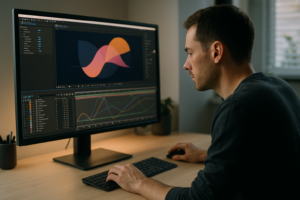
See a UI/motion example in After Effects
What are the benefits of one-time purchases in motion design?
Ownership and indefinite use of assets or software
The emotional appeal of one-time purchases is hard to overstate: you own your toolkit. Consumers who favor ownership without ongoing commitments might prefer one-time purchases. That sense of permanence matters when your business depends on being able to open old projects, revisit legacy client work, or maintain a consistent pipeline without worrying whether next month’s bill cleared.
Ownership also supports a “stable stack” philosophy. Many motion designers refine a personal workflow over years: specific plugins, favorite template frameworks, known render settings. When you buy perpetual tools, you can freeze that stack and keep producing reliably, even if the broader market churns.
There’s also the archival angle. If you deliver long-term brand systems-broadcast packages, explainer series, product UI animations-clients may return years later asking for updates. If your ability to open those projects depends on a subscription you no longer pay for, you’ve created an unnecessary business risk. One-time purchases reduce that dependency.
No recurring payments and long-term savings
Recurring payments are convenient until they aren’t. One-time purchases remove the “forever meter” running in the background. If you use a tool for five or seven years, paying once can be dramatically cheaper than paying monthly the whole time.
Subscriptions may involve additional costs over time, which could be more expensive than a one-time purchase. The math is straightforward: cumulative subscription cost = monthly fee × months. If the total crosses the one-time price (plus any occasional paid upgrades), the perpetual option wins financially-especially for tools that don’t need constant updating to remain useful.
One-time purchases also simplify personal budgeting. You can treat tools as capital expenses: buy when needed, depreciate mentally over time, and avoid the slow creep of “just one more subscription” that turns into a thousand tiny cuts.
Suitability for occasional users or specific projects
If you do motion design sporadically-say, you’re primarily a graphic designer who animates a campaign twice a year-subscriptions can feel like paying rent on an apartment you rarely visit. A one-time purchase fits better when your usage is occasional, your needs are narrow, or your projects are highly specific.
Project-based needs also favor one-time purchases. If you need a particular plugin for a single look (a specific halftone effect, a certain 3D extrusion tool, a niche transition pack), buying it once can be more sensible than subscribing to an entire platform just to use one feature for two weeks.
There’s a psychological benefit too: one-time purchases encourage deliberate selection. You curate your toolkit rather than collecting access. For some creatives, that constraint leads to mastery-and mastery is often more valuable than novelty.
What are the costs and financial implications of each model?
Comparing upfront costs and ongoing expenses
Cost comparisons are tricky because they’re rarely apples-to-apples. A subscription might include multiple apps, cloud features, and updates. A one-time purchase might be cheaper but narrower. Still, you can evaluate them with a few consistent lenses:
- Upfront cost: One-time purchases typically require more cash at the start (unless the subscription is annual upfront). This can matter when you’re building a toolkit from scratch.
- Ongoing expense: Subscriptions convert tools into a monthly operating cost. That predictability is useful, but it never stops unless you cancel.
- Upgrade cycles: Perpetual tools may require paid upgrades every few years to stay compatible with OS updates, codecs, or team pipelines.
- Hidden costs: Asset subscriptions can encourage downloading more than you need, while one-time purchases can encourage buying “just in case.” Both can waste money in different ways.
A practical way to compare is to calculate a two-year and five-year total cost of ownership (TCO). Subscriptions often look reasonable at 12 months but become heavy at 60. One-time purchases often sting at month one but feel brilliant by year four.
Also consider the cost of downtime. If a subscription keeps your tools updated and prevents project-opening issues, it may save hours that are worth more than the fee-especially for professionals billing by the day.
Budget planning for freelancers and agencies
Freelancers and agencies experience these models differently because their risk profiles differ.
Freelancers often benefit from the flexibility of subscriptions when starting out or when their project mix changes rapidly. You can scale your toolset up for a busy season and down when work slows. But freelancers also feel recurring costs more sharply during dry months. A smart approach is to separate tools into two buckets: “always-on essentials” (core software you must have) and “project-activated” tools (specialty subscriptions you only turn on when a job pays for them).
Agencies and studios tend to value predictability and standardization. Subscriptions can simplify onboarding and ensure everyone is on compatible versions. But agencies also need to protect margins, so they often negotiate annual plans, consolidate vendors, and build internal libraries to reduce reliance on external asset subscriptions.
In both cases, the healthiest budgeting habit is to tie tool costs to revenue categories. For example: allocate a fixed percentage of monthly revenue to software and assets, and cap it. When you hit the cap, you don’t buy more tools-you optimize the ones you already have.
Risk of price changes and licensing fees
Subscriptions come with an under-discussed risk: you don’t control future pricing. Vendors can raise rates, restructure tiers, or move features into more expensive plans. If your pipeline depends on that tool, switching isn’t always painless. This is why long-term contracts, annual billing, or maintaining export-friendly workflows can be protective measures.
One-time purchases avoid recurring price hikes, but they have their own risks: paid upgrades, compatibility breaks, and occasional “maintenance” fees for support or major version changes. A perpetual license doesn’t guarantee perpetual relevance. If your OS updates and your tool doesn’t, you may be forced into an upgrade anyway-just on a less predictable schedule.
Finally, licensing fees can appear in unexpected places: extra seats, render nodes, team libraries, or extended commercial rights for assets. Whether you subscribe or buy once, the real cost is the license you actually need, not the headline price you first see.
How do licensing and usage rights differ between subscriptions and one-time purchases?
License duration and scope
Licensing is where the subscription vs one-time debate stops being philosophical and becomes contractual. The main differences typically involve duration (how long you can use it) and scope (what you’re allowed to do with it).
Subscriptions usually grant a license that lasts only while you pay. The scope might include commercial use, but it may restrict how many devices you can activate, whether you can share assets across a team, or whether you can use the tool in client deliverables without additional terms.
One-time purchases often grant a perpetual license to use a specific version. Scope still matters: “single user,” “single seat,” “studio,” “enterprise,” and “broadcast” are not decorative words. They change what you can legally do, especially when multiple designers touch the same project files.
When evaluating scope, ask: Is this license for me, for a team, or for a client handoff? If you need to deliver editable project files to a client, you’ll want to ensure the licensing model doesn’t create a trap where they can’t legally use what you deliver.
Restrictions on commercial use and redistribution
Most motion design tools allow commercial work, but assets are more nuanced. Stock libraries and template subscriptions often allow you to use items in end products, but prohibit redistribution of the raw files. That means you can deliver a finished video, but you can’t resell the template as a template, or upload the source assets to a public repository.
Common restrictions include:
- No standalone redistribution: You can’t share the asset in a way that lets others extract and reuse it.
- Seat limitations: Only the licensed user(s) may download and use the asset, even within a company.
- Client transfer limits: Some licenses don’t allow transferring an asset license to a client, even if the client pays for the project.
- Platform-specific rules: Broadcast, paid ads, apps, and SaaS products can trigger different licensing requirements.
One-time purchases can be cleaner here because you often receive a defined license for a specific asset. But “cleaner” doesn’t mean “free-for-all.” Many one-time asset licenses still forbid redistribution and limit seat counts. The difference is that you’re not also dealing with the question of whether your rights vanish when a subscription expires.
Renewal and expiration considerations
Expiration is the subscription pressure point. If you cancel, what happens to:
- Your ability to open projects created with the software?
- Your right to keep using downloaded assets in old work or new revisions?
- Your access to updates needed for OS or codec compatibility?
Many asset subscriptions allow continued use of items in projects created during the subscription period, but restrict downloading again after cancellation. Some require an active subscription to use assets in new projects. This is why it’s crucial to keep a license record: which assets were used, when they were downloaded, and under what terms.
For one-time purchases, “expiration” often shows up as support windows and upgrade eligibility. You may be able to use the tool indefinitely, but support might end after a certain version. If you rely on a plugin for mission-critical work, consider whether you need an active maintenance plan even if the core license is perpetual.
Which option is better for different types of users?
Recommendations for hobbyists and beginners
Beginners usually benefit from minimizing friction. If you’re learning motion design, a subscription can be a low-barrier way to access industry-standard tools and learn with current tutorials. You’re paying for a moving train you can jump onto immediately-no hunting for outdated versions, no worrying whether your course matches your software.
That said, hobbyists often have irregular usage. If you animate intensely for a month and then disappear for six, subscriptions can become a quiet leak. In that case, consider one-time purchases for stable tools, or choose subscriptions that you can turn on and off without penalties.
A balanced beginner approach is:
- Subscribe to core software while learning and building a portfolio.
- Buy one-time plugins only when you’ve hit a real limitation (not a shiny-object urge).
- Use free/low-cost asset packs early, then upgrade to paid libraries when speed becomes essential.
Considerations for professional motion designers and studios
Professionals are buying reliability. If clients expect you to open their project files, match their pipeline, and deliver on tight timelines, subscriptions often become the default-especially when the industry standard tools are subscription-first. The cost becomes part of doing business, and it’s typically billable (directly or indirectly) through your rates.
Studios, however, should resist “subscription sprawl.” It’s easy to accumulate overlapping services: three stock libraries, two review platforms, four plugin subscriptions. A studio should periodically audit usage and consolidate. The goal is not to be cheap; it’s to be intentional.
One-time purchases still have a strong role in professional environments: specialized plugins, evergreen template systems, and tools that are stable and proven. Many studios keep a curated set of perpetual tools that form the backbone of their pipeline, then layer subscriptions on top for assets and occasional specialty needs.
Choosing based on project frequency and scope
Project frequency is the simplest decision lever:
- High frequency (weekly/daily deliverables): subscriptions often win due to updates, breadth, and speed.
- Medium frequency (monthly campaigns): a hybrid approach is common-subscribe to core software, buy key plugins, and use asset subscriptions selectively.
- Low frequency (a few projects per year): one-time purchases often win, especially for assets and niche tools.
Scope matters too. Large, long-running brand systems benefit from stability and archival access-leaning toward one-time purchases where possible. Fast-turn social content benefits from flexible libraries and always-current tools-leaning toward subscriptions.
And don’t ignore the “client scope” factor: if you regularly collaborate with teams using specific software versions, your choice might be made for you. Compatibility can be the hidden boss of your tool budget.
What factors should influence your decision on subscription or one-time purchase?
Evaluating your workflow and project needs
Deciding which model to use depends on various factors, including product type, customer needs, and company goals. On the individual level, translate that into: your workflow, your clients, and your tolerance for change.
Start with a workflow map. List what you do in a typical project:
- Style frames and design system
- Animation and compositing
- Sound, color, finishing
- Review and revisions
- Delivery and archiving
Then identify which parts are stable and which are variable. Stable steps (your core animation environment, your go-to plugins) often favor one-time purchases or long-term subscriptions. Variable steps (stock footage needs, music styles, trendy transitions) often favor subscriptions because you’re buying breadth and speed.
Also consider collaboration. If you share project files with editors, designers, or 3D artists, standardizing on subscription tools can reduce friction. But if you work solo, you can afford a more personalized, ownership-driven stack.
Assessing feature requirements and update frequency
Not all tools need constant updates. A rock-solid utility that does one job well may be a perfect one-time purchase. Meanwhile, tools tied to fast-moving technology-GPU render engines, AI-assisted features, cloud collaboration-often benefit from subscriptions because the value is in continuous improvement.
Ask yourself:
- Do I need new features often, or do I mostly need stability?
- Am I working in an environment where OS updates are frequent and unavoidable?
- Do clients demand modern formats, new codecs, or specific deliverable standards?
If you’re regularly hitting feature ceilings, subscriptions can feel like relief. If you’re rarely updating anything and your projects are consistent, one-time purchases can feel like freedom.
Considering long-term versus short-term use
Think in seasons. If you’re ramping up for a new service offering-say, adding 3D motion, character animation, or broadcast packaging-a subscription can be a low-risk way to test the waters. You’re renting capability while you validate demand.
If the capability becomes core to your business, you can later decide whether to commit long-term (keep the subscription) or transition to owned tools where possible. Conversely, if you only need something for a short burst-one campaign, one pitch, one client-subscriptions can be a clean “on/off” switch.
One-time purchases shine when you anticipate years of use and you want to protect your future self. The future self is the one who gets the email: “Can we update that 2021 video with the new logo?” Your ability to say “Yes” quickly is worth money.
What are examples of popular motion design subscription services and one-time purchase options?
Leading subscription-based platforms and their pricing
Pricing changes frequently, so treat the numbers below as typical ranges as of 2026-06-19, not eternal truths. Always confirm on the vendor’s site.
| Category | Examples | Typical pricing model | Notes |
|---|---|---|---|
| Core motion design software | Adobe Creative Cloud (After Effects), Maxon (Cinema 4D bundles) | Monthly/annual subscription | Often includes frequent updates and cloud services |
| Stock video/music/SFX libraries | Envato Elements, Artlist, Motion Array, Storyblocks | Monthly/annual subscription | License terms vary; watch project vs item usage rules |
| Review/collaboration | Frame.io-style review platforms | Per-seat subscription tiers | Storage limits and team permissions can affect total cost |
Subscriptions are popular because they bundle convenience with continuity. Many subscription services offer ongoing access, updates, or enhancements as part of the package. For teams, the administrative simplicity can be as valuable as the features themselves.
But keep your eyes open: “unlimited” libraries are only unlimited within licensing boundaries, and some platforms require active subscriptions for new project usage. Treat licensing like part of your creative brief-because it is.
Notable one-time purchase tools and asset libraries
One-time purchases are alive and well, especially for tools that benefit from stability. Common examples include:
- DaVinci Resolve Studio (often sold as a one-time license): popular for color and finishing, and increasingly used in broader post workflows.
- Final Cut Pro (one-time purchase): a stable editing environment for certain pipelines.
- Perpetual plugins for After Effects: many developers still sell one-time licenses, sometimes with optional paid upgrades.
- Template/asset packs: title packs, transition bundles, texture kits, UI elements sold as a single purchase.
One-time asset marketplaces (where you buy individual items) can be especially efficient when you need something specific and you want a clean license record for that exact item. Instead of paying for a buffet you barely touch, you buy the dish you actually ordered.
Also consider commissioning custom assets. It’s technically a “one-time purchase,” but with a twist: you get something tailored, potentially exclusive, and aligned to your brand system. For studios building a signature style, custom assets can outperform any subscription library.
How to switch between subscription and one-time purchase effectively?
Transition strategies for changing licensing models
Switching models is less about clicking “cancel” and more about protecting continuity. The biggest risk is discovering-mid-revision-that your old projects depend on tools you no longer have access to.
If you’re moving from subscription to one-time purchases (or reducing subscriptions), use a staged approach:
- Audit dependencies: list which projects rely on which apps, plugins, and subscription assets.
- Stabilize deliverables: export masters and stems (ProRes/DNx, image sequences, audio stems) so you can revise without reopening complex timelines if needed.
- Replace the irreplaceable: identify subscription-only features you truly need and find owned alternatives (or decide to keep that one subscription).
- Overlap during transition: keep the subscription active for one extra billing cycle while you migrate templates, rebuild presets, and test the new stack.
If you’re moving from one-time purchases to subscriptions, the main strategy is to avoid re-buying what you already own. Subscriptions can be seductive: suddenly everything is “included,” and your old purchases start gathering dust. Instead, decide what the subscription is for-updates, collaboration, asset breadth-and keep your owned tools as your stable backbone.
Remember: the choice between subscription and one-time purchase depends on the nature of the product, customer preferences, and business strategy. Your “business strategy” might simply be: keep overhead low, keep delivery reliable, and keep your creative energy for the work-not the billing dashboard.
Managing existing assets and software licenses
License management sounds boring until it saves you in a dispute or a client audit. Whether you subscribe or buy once, build a simple system:
- Keep receipts and license keys in a dedicated folder (cloud + local backup).
- Track asset usage per project: which library, which item, download date, and license type.
- Archive installers for one-time purchase tools when allowed, plus the version numbers used in key projects.
- Document plugin versions in project notes so you can recreate environments later.
For subscription assets, consider saving a “compliance snapshot” at delivery: a PDF or note listing the subscribed sources used, along with the subscription status at the time. This can help if you need to prove that assets were licensed when the work was produced.
For one-time purchases, plan for the day your machine dies. If your license allows multiple activations, keep one activation free. If it doesn’t, know the vendor’s deactivation process. The goal is to avoid turning a hardware failure into a production shutdown.
Conclusion
One overlooked advantage of thinking carefully about motion design subscription vs one-time purchase is that it forces you to define your creative operating system. Tools aren’t neutral; they influence what you try, how quickly you iterate, and how much you rely on external ingredients. If you build a pipeline around subscriptions, you’re implicitly choosing speed, breadth, and constant evolution-great for high-output environments and trend-responsive work. If you build around ownership, you’re choosing stability, archival confidence, and a curated toolkit-great for long-lived brand systems and designers who value mastery over novelty.
Whichever path you choose, consider adding one more layer to your decision that has nothing to do with price: resilience. Keep open formats in your archive, export high-quality masters, and maintain a small “fallback” toolkit that can handle emergencies when a license lapses, a vendor changes terms, or a plugin breaks after an OS update. The most professional-looking motion design workflow isn’t the one with the most subscriptions or the most perpetual licenses-it’s the one that can survive real life: shifting budgets, surprise revisions, and the occasional client who returns three years later with a new tagline and the same deadline.
In the end, you’re not just buying software or assets. You’re buying the ability to say “yes” with confidence-whether that confidence comes from always having the latest features, or from knowing your tools will still open your work tomorrow, next month, and five summers from now.